
Symptoms
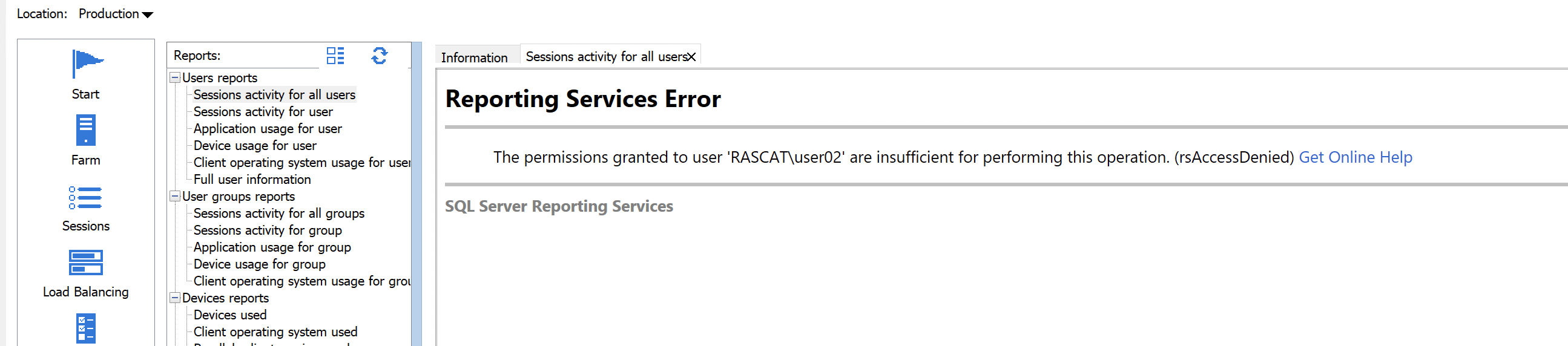
A user logged in to the RAS Console cannot view or load RAS reports. The following error is displayed in the report viewer:
Reporting Services Error
The permissions granted to user 'DOMAIN\user' are insufficient for performing this operation. (rsAccessDenied) Get Online Help
SQL Server Reporting Services
The affected user is not a member of Domain Admins or the SQL Server administrator role on the respective SQL instance.
Background
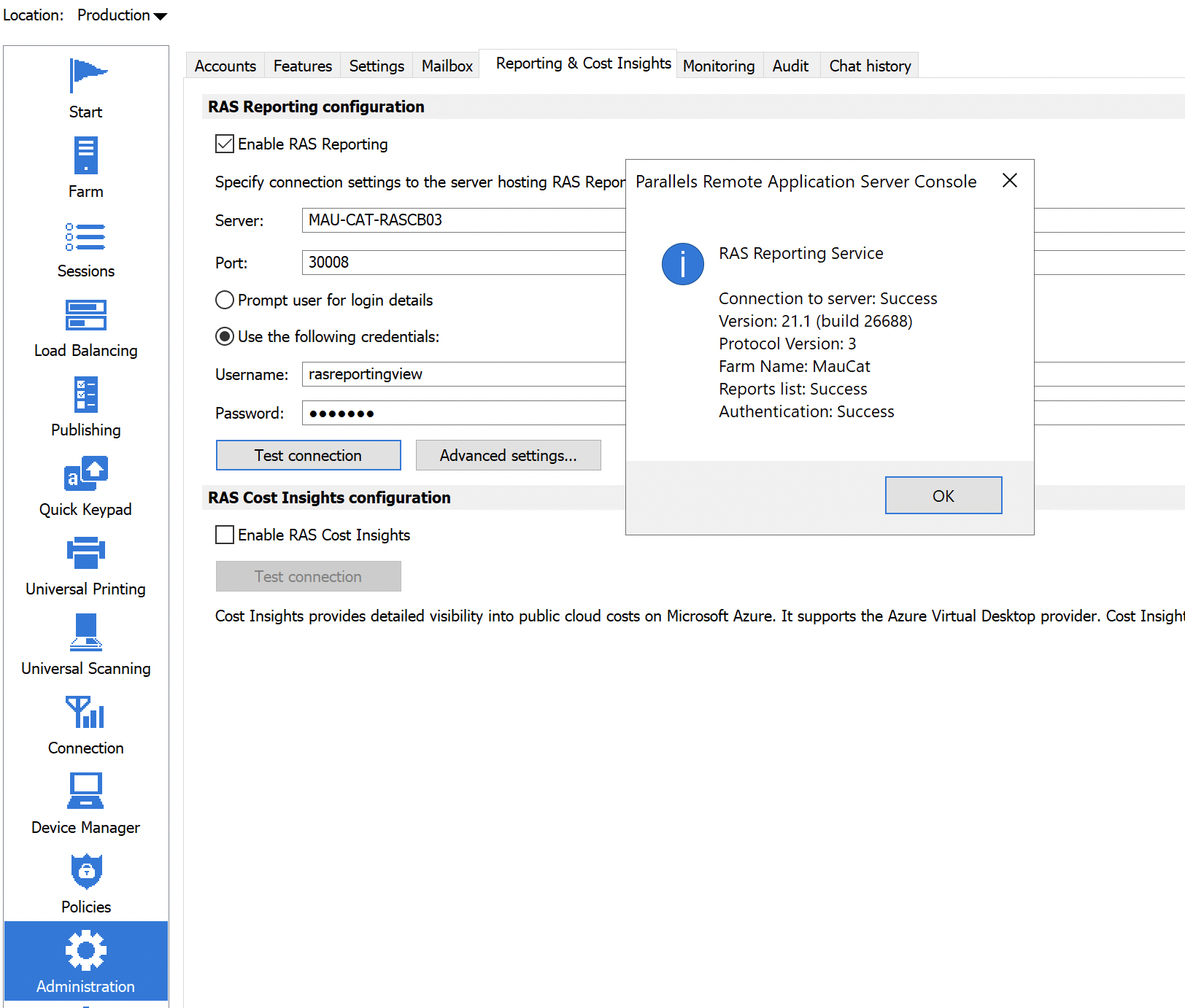
The RAS Console uses predefined service account to authenticate to the Microsoft SQL Server Reporting Services (SSRS) report viewer. This account is configured at RAS Console > Administration > Reporting & Cost Insights — select Use the following credentials and click Test Connection to verify it.
The stored credentials are injected automatically each time the reporting window loads, so the end user does not need direct SSRS access. When injection succeeds, the configured service account — not the logged-in Windows user — authenticates to SSRS.
Cause
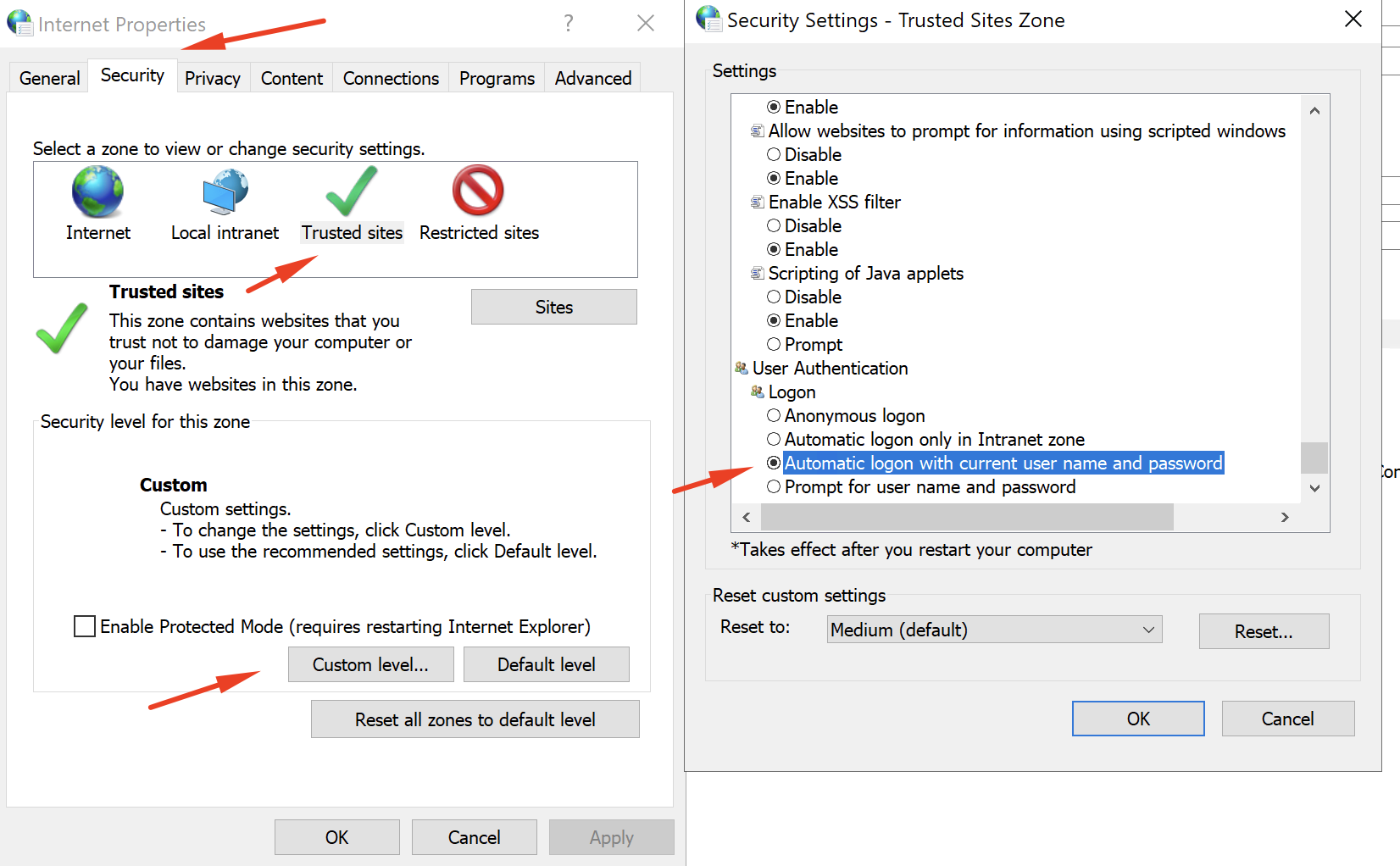
The Internet Options logon setting for the Trusted Sites zone has been changed from its default value. When the setting is changed from Automatic logon only in Intranet zone (default) to Automatic logon with current user name and password, Windows overrides the credentials injected by the RAS Console and presents the current Windows user's identity to SSRS instead. Because that user does not have SSRS permissions, the rsAccessDenied error is returned.
If the current Windows user account appears in the error message, this confirms that Automatic logon with current user name and password is active.
The same setting may be enforced by a Group Policy Object (GPO) at:
Computer configuration > Administrative Templates > Windows Components > Internet Explorer > Internet Control Panel > Security Page > Trusted Site Zone > Logon Options
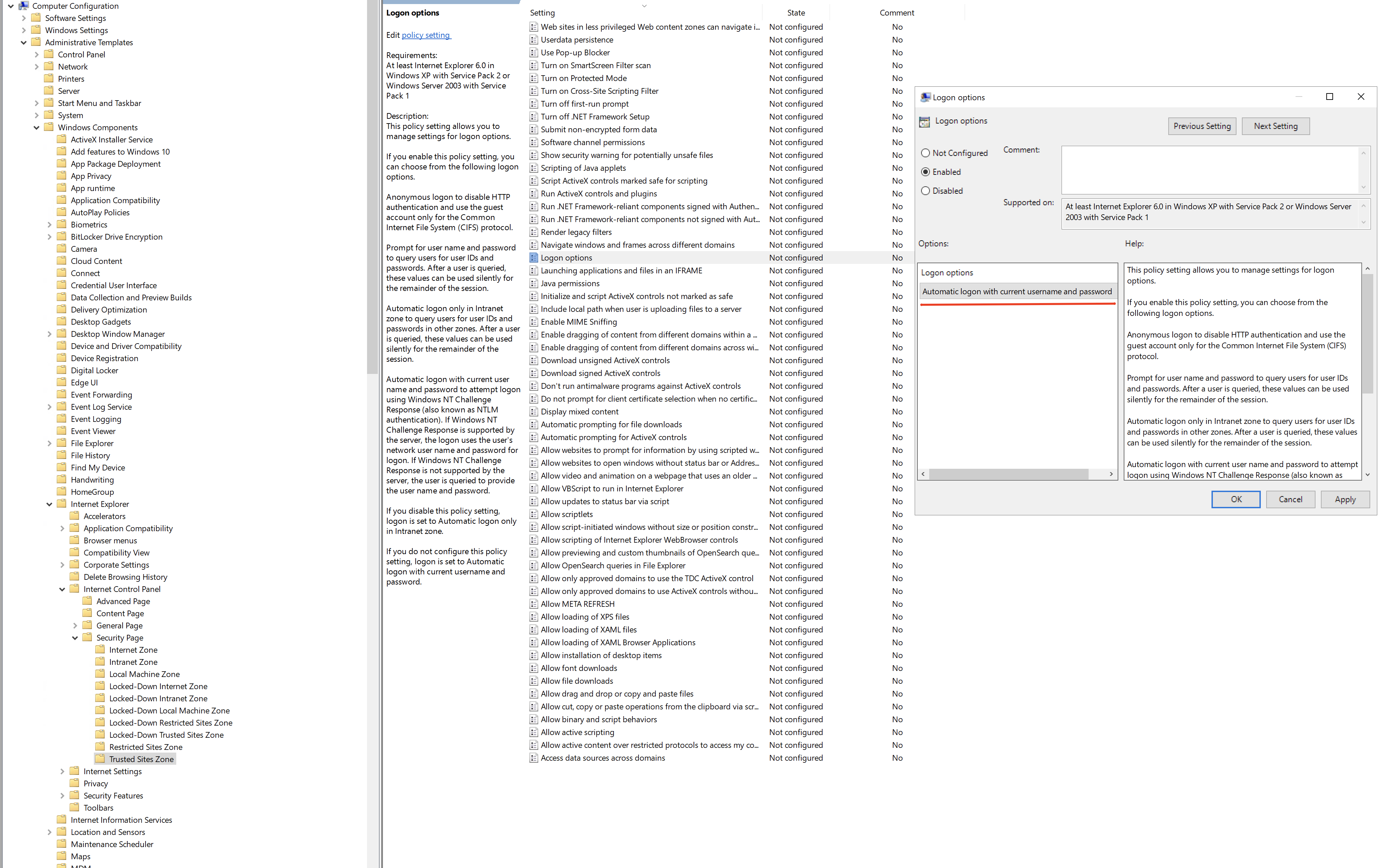
Note: This settings applies to all Trusted Sites loaded via the Internet Explorer engine. Confirm that changing it does not affect other resources that rely on automatic logon before proceeding.
Resolution
First, confirm that the Internet Options logon setting is the cause by reviewing the Trusted Sites zone configuration as described in the Cause section above.
Once confirmed, choose one of the following approaches based on your environment.
Option 1 - Restore the default logon setting (recommended)
Use this option if restoring the default does not affect other internal services that rely on automatic logon.
To restore the default setting:
1. Set the GPO referenced in the Cause section to Not Configured, or set the logon value explicitly to Automatic Logon only in Intranet zone.
2. Apply the policy and verify that the RAS Console report viewer load successfully for the affected users.
The RAS Console can now inject the service account credentials automatically for all users who have access to Reporting tab.
Option 2 - Grant users direct access to the SSRS instance
Use the option if restoring the default logon settting is not possible due to other dependencies on the current configuration.
Grant the affected user or user group direct access to the SSRS instance. This resolves the (rsAccessDenied) error in the RAS Console report viewer and also allows the users to view reports directly from the SSRS Web Portal. Follow KB 131142 for the configuration steps.
Was this article helpful?
Tell us how we can improve it.