Symptoms
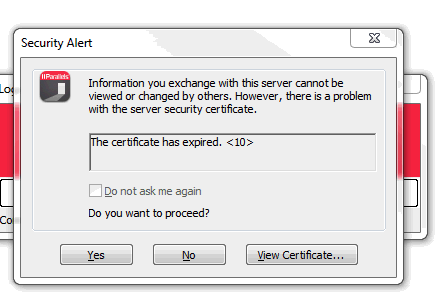
You get warning that SSL certificate has expired when starting a published item in Parallels Client:
Cause
The SSL certificate configured for RAS Gateway or HALBs has expired.
Resolution
Please renew the expired SSL certificate.
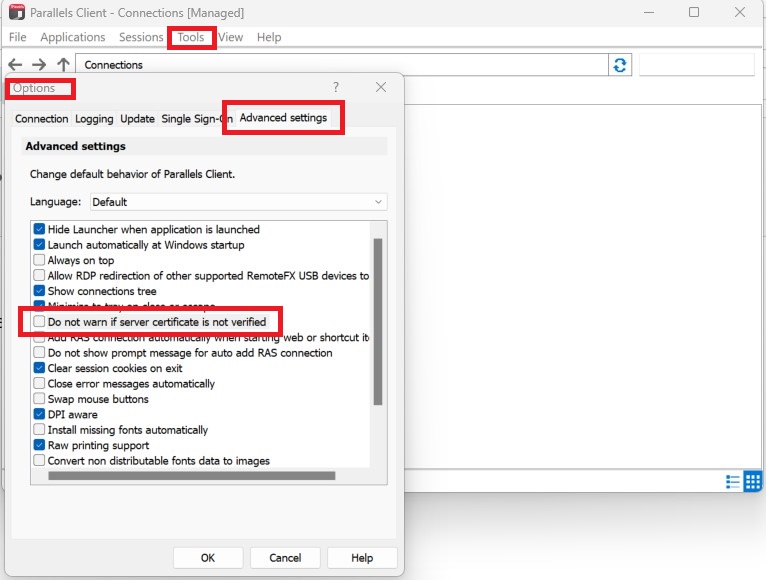
Workaround:

You get warning that SSL certificate has expired when starting a published item in Parallels Client:
The SSL certificate configured for RAS Gateway or HALBs has expired.
Please renew the expired SSL certificate.

Was this article helpful?
Tell us how we can improve it.