
Starting Parallels Desktop version 26.3.3, Windows 11 displays a message "Suspend BitLocker to update Secure Boot certificates."
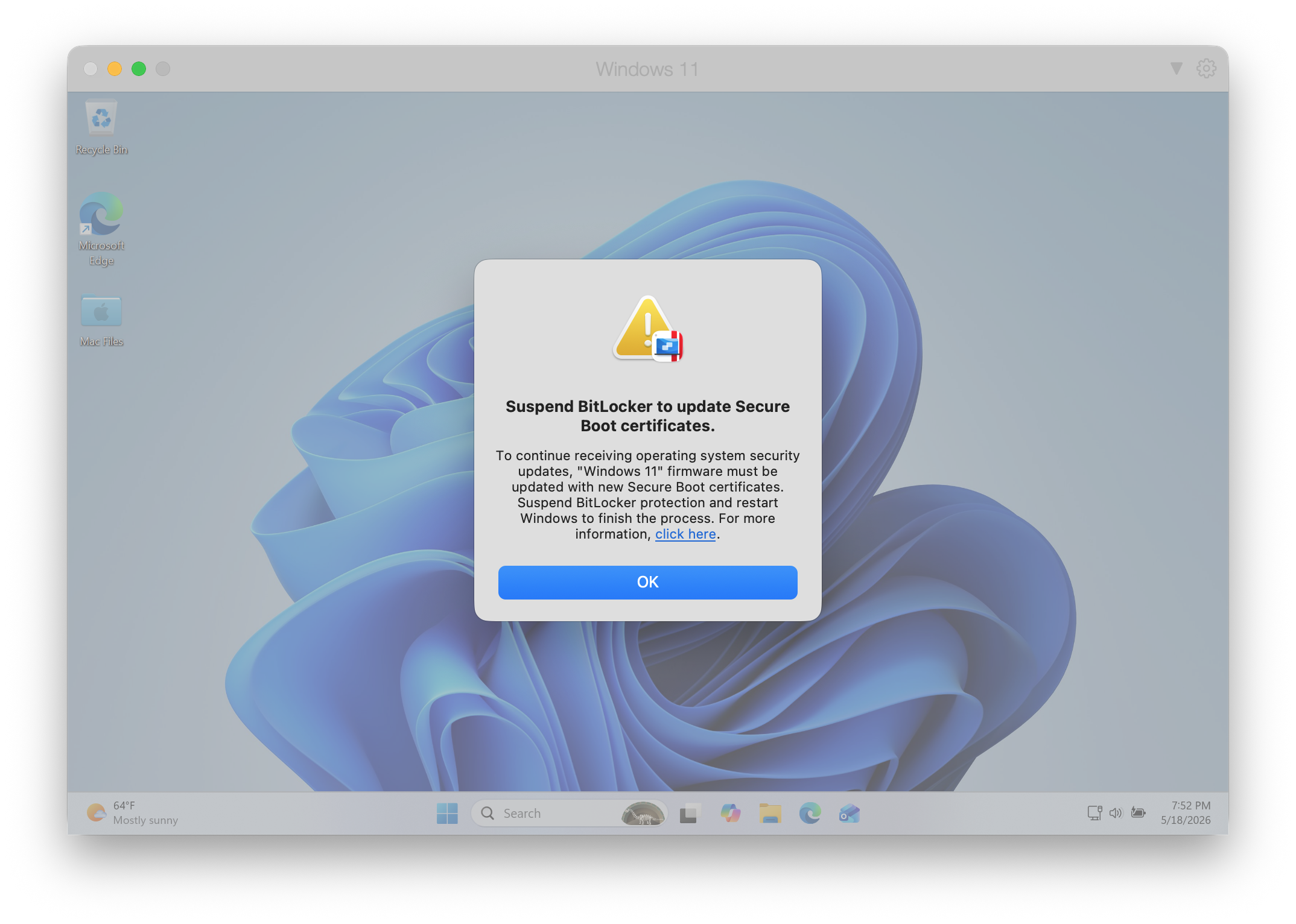
Reason
Parallels Desktop needs to update the Secure Boot certificates in the virtual firmware for this Windows 11 virtual machine to maintain the integrity of the boot process and continue receiving OS security updates. For more information, see KB 131109.
Resolution
- Click "OK" on
 the message "Suspend BitLocker to update Secure Boot certificates."
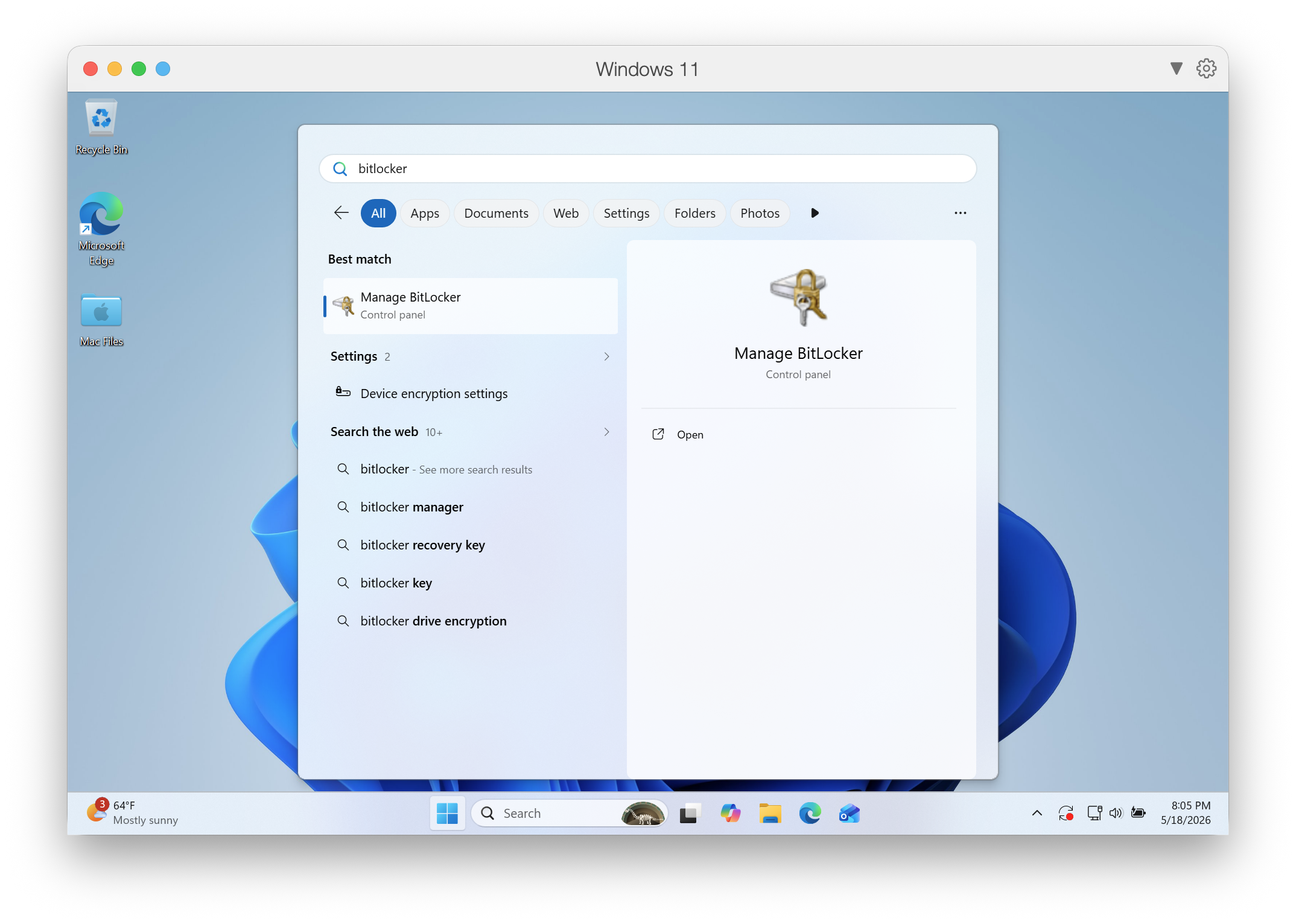
 - Click Start > type "BitLocker" > open "Manage BitLocker" program:
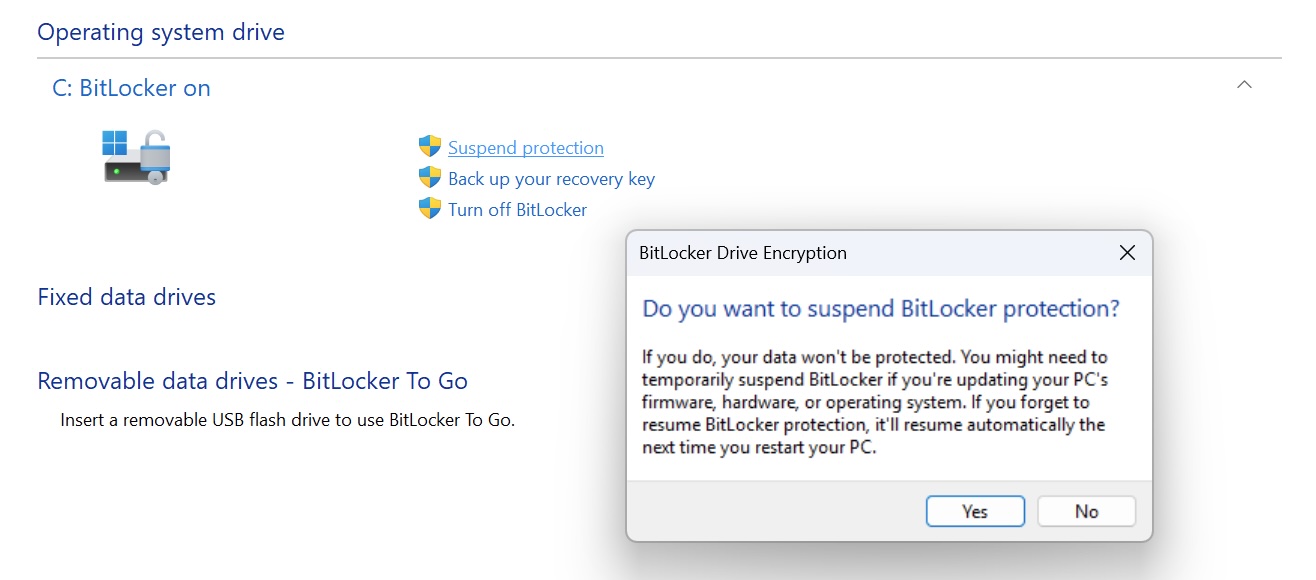
- Click "Suspend protection" > confirm on the dialog appeared:
- Restart Windows 11 to finish updating Secure Boot certificates.
Was this article helpful?
Tell us how we can improve it.