
Users may experience one or more of the following audio issues when using a Bluetooth headset on Windows 11:
- Noticeable reduction in audio quality
- Distorted sound output
- Audio playing through only the mono output
When any application activates the microphone - including Windows 11 voice-activated features such as Voice Access, dictation, or Cortana: the headset automatically switches from A2DP to HFP/HSP mode to enable two-way communication. This profile switch reduces audio bandwidth, resulting in mono output and lower sound quality.
These voice-activation features are enabled by default in Windows 11, which may trigger the profile switch even during passive use.
To prevent the headset from switching to the HFM profile, apply any preferred workaround from the ones listed below:
-
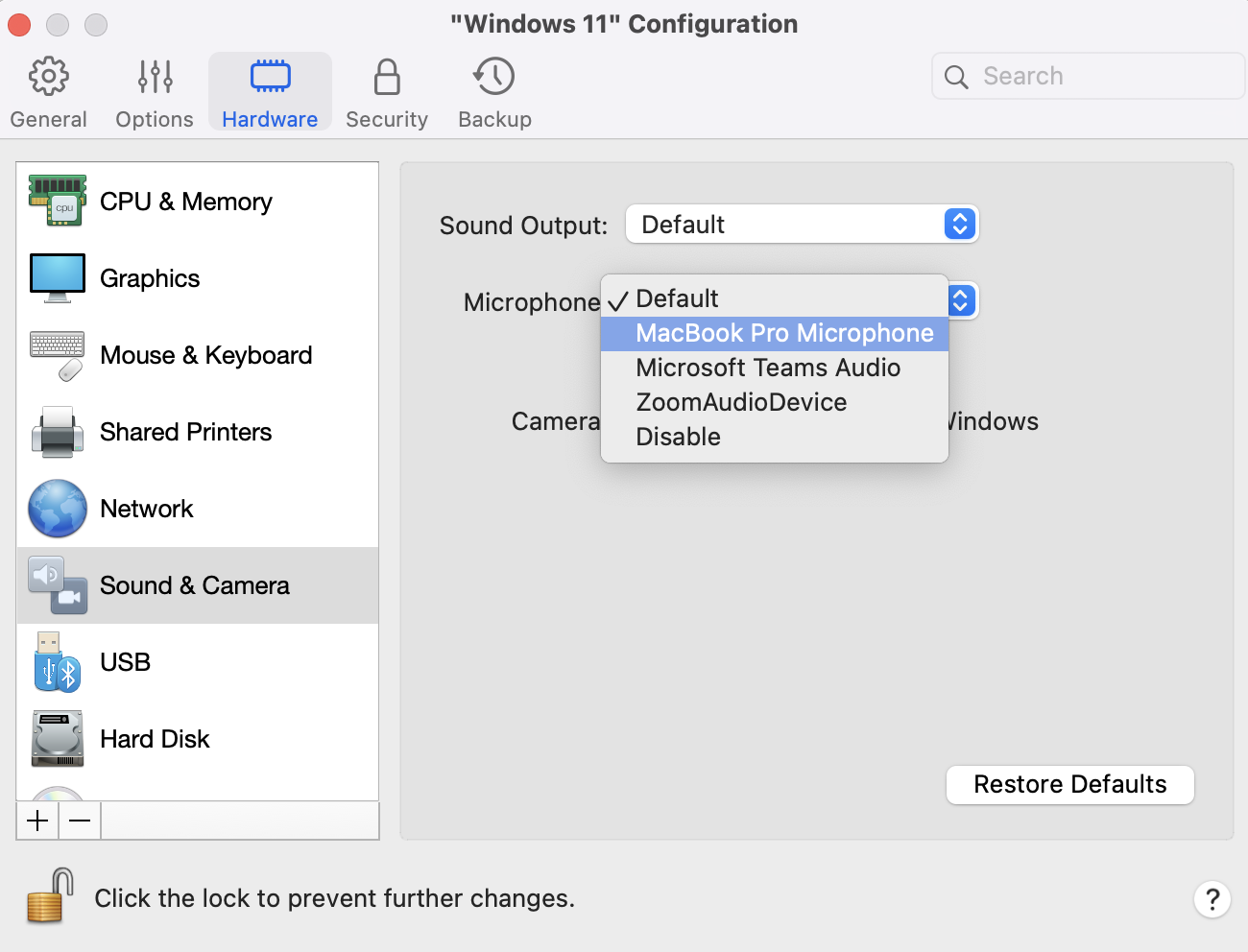
Change the default input source for Windows :
Open the virtual machine's configuration > Hardware > Sound & Camera > set Microphone source to Built-in Microphone
-
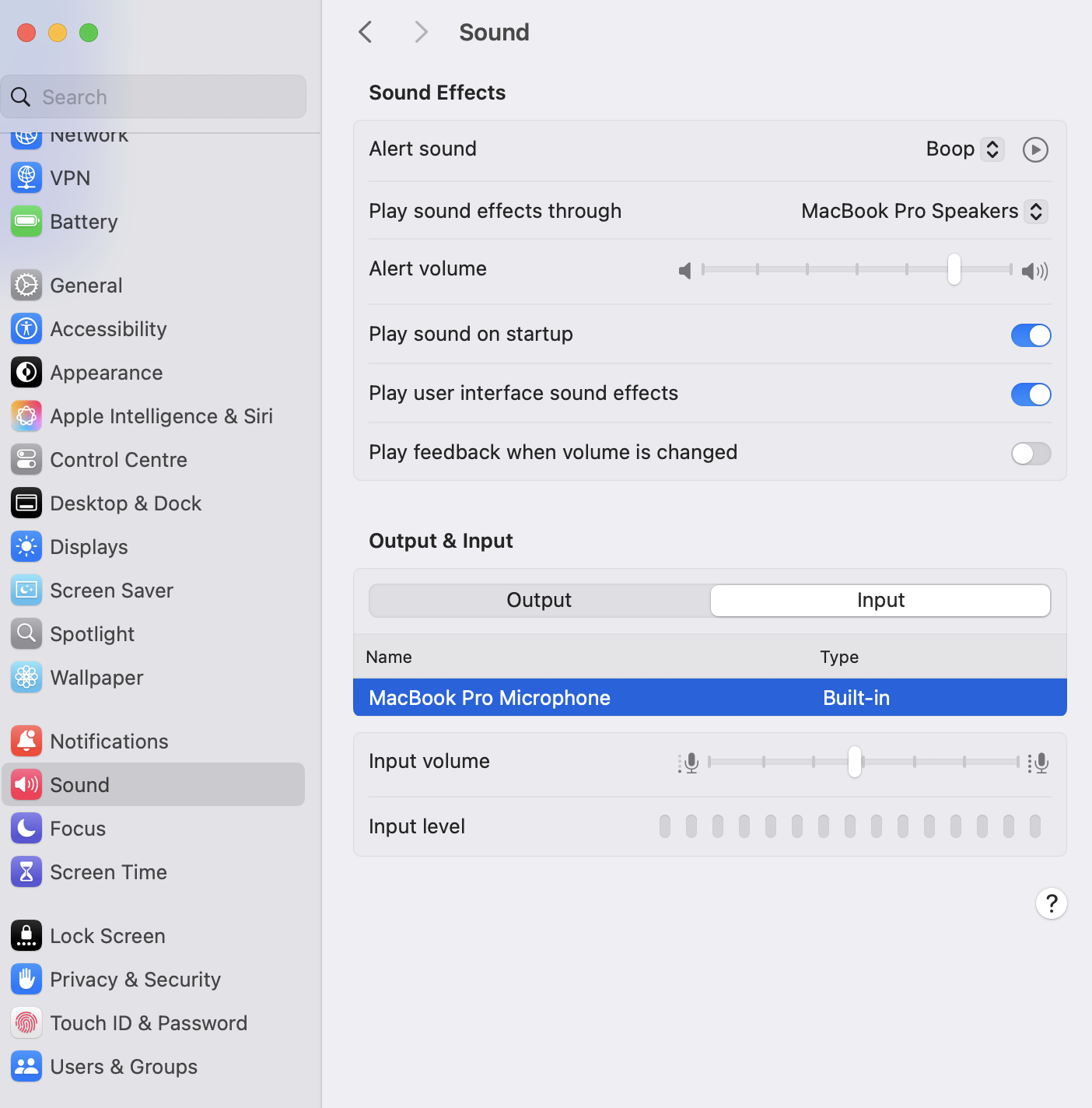
Change the default input source for the Mac
Click on Apple Logo on Mac menu bar > System Settings > Sound > Input > choose Built-in Microphone.
- Disable Voice-Activation Features in Windows [ADVANCED]
Was this article helpful?
Tell us how we can improve it.