
Symptoms
When using Web Authentication (SAML SSO) in the Parallels Client for Windows, the session logon prompt returns the error: "The username or password is incorrect."
Cause
Smart card redirection is enabled on the client. The physical or virtual smart card attached to the client device interferes with the Parallels RAS virtual smart card component on the remote session host, causing credential resolution to fail during SAML SSO logon.
Resolution
Disable smart card redirection.
Option 1 — Per-connection setting (Parallels Client):
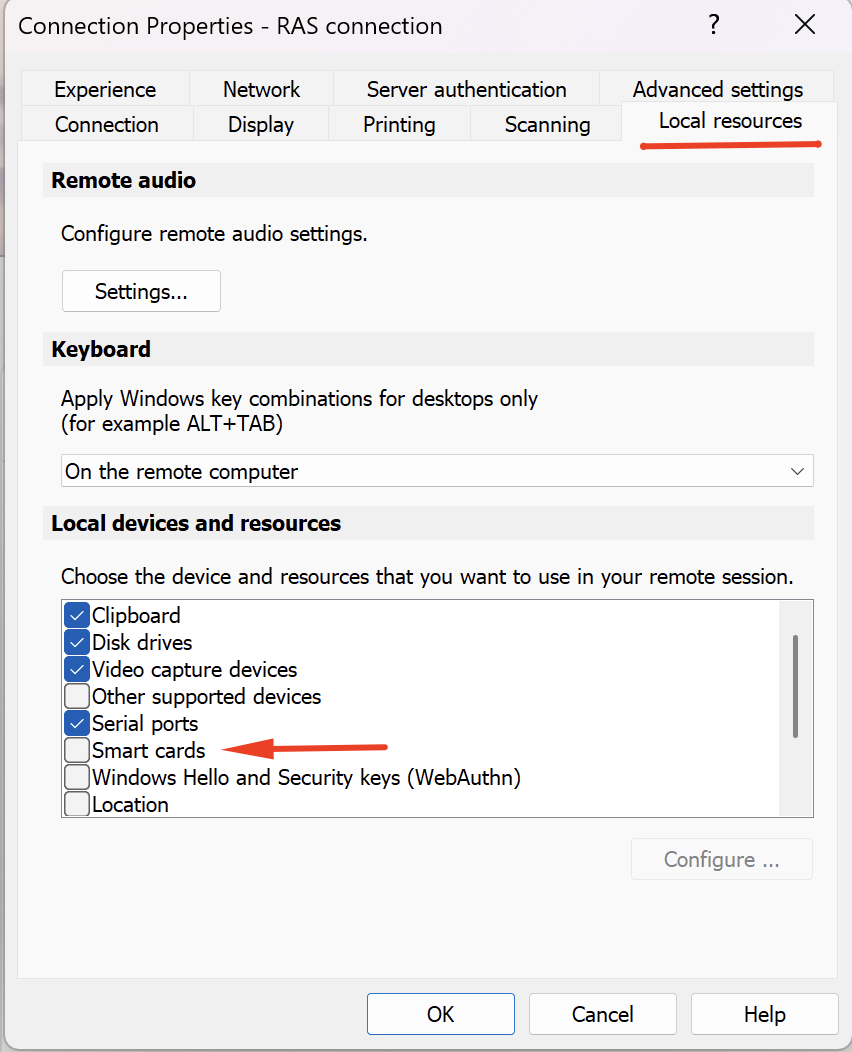
- In Parallels Client, right-click the RAS connection and select Connection Properties.
- Navigate to Local Resources.
- Clear the Smart cards checkbox.
- Reconnect.
Option 2 — Client Policy (RAS Console):
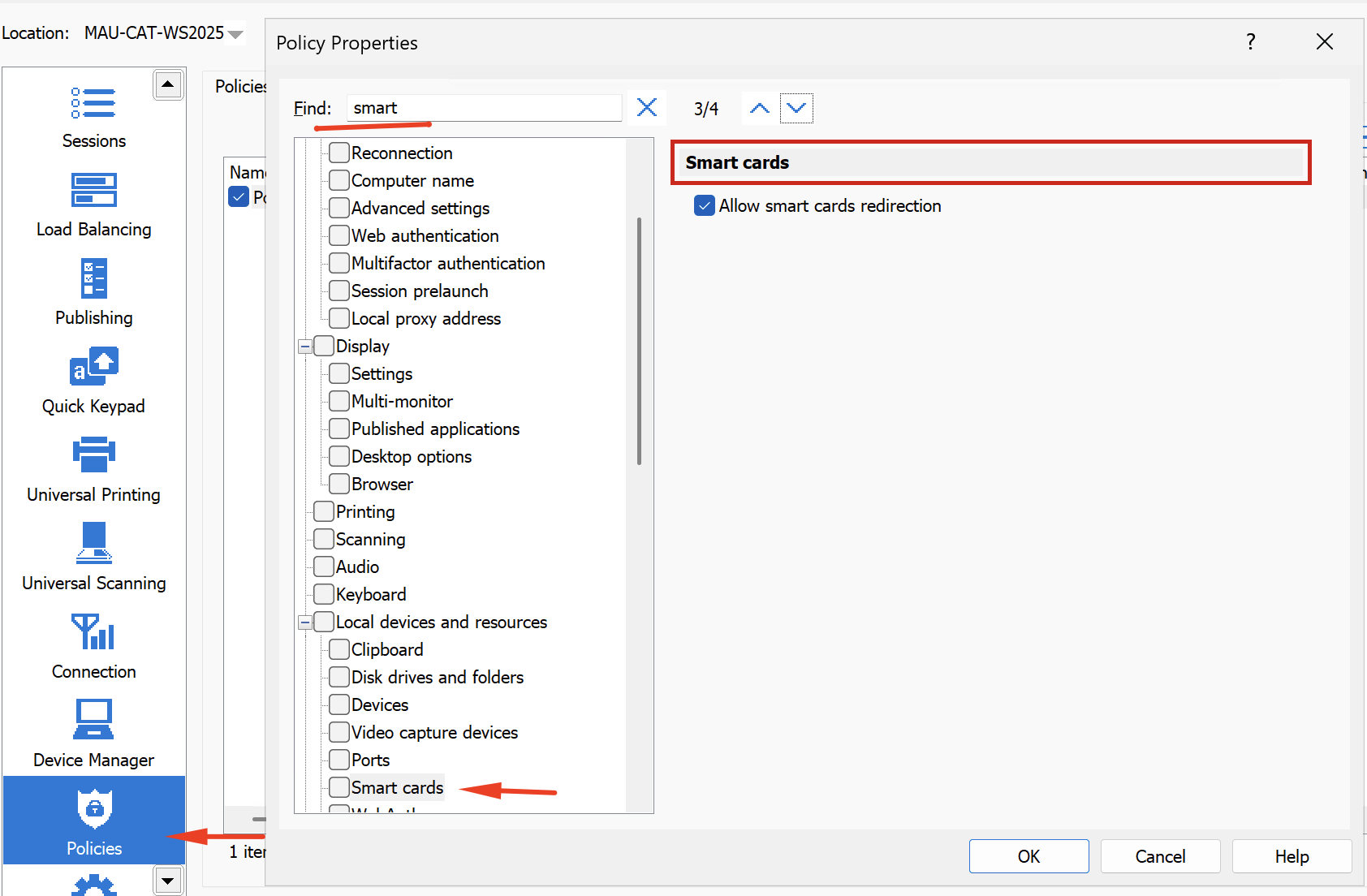
- Open the RAS Console and go to Policies.
- Select the applicable policy and locate Local devices and Resources > Smart cards or use Search with Smart cards query.
- Clear the Allow smart card redirection checkbox.
- Press OK and Apply in the RAS Console
Note: Updated Client Policies are applied on the client side upon the next logon or after a manual connection refresh.
Was this article helpful?
Tell us how we can improve it.