
Symptoms
- Installation or upgrade of Parallels RAS 22.0 Build 28160 fails on Windows Server 2022.
- The installation may fail while starting the RAS Web Administration service.
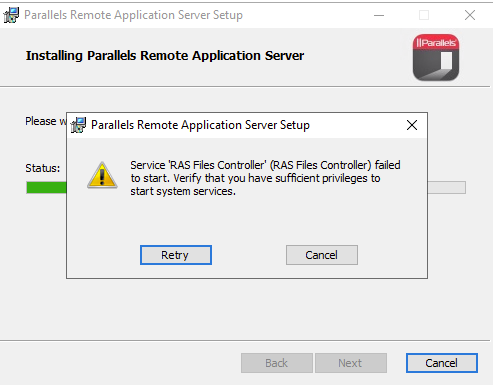
- If the RAS Web Administration Service component is excluded during a custom installation, the installation may fail while starting the RAS Files Controller service instead.
- A fresh installation rolls back and removes the RAS components.
- An upgrade rolls back and restores the previous RAS installation.
Service 'RAS Web Administration' failed to start. Verify you have sufficient privileges to start system services
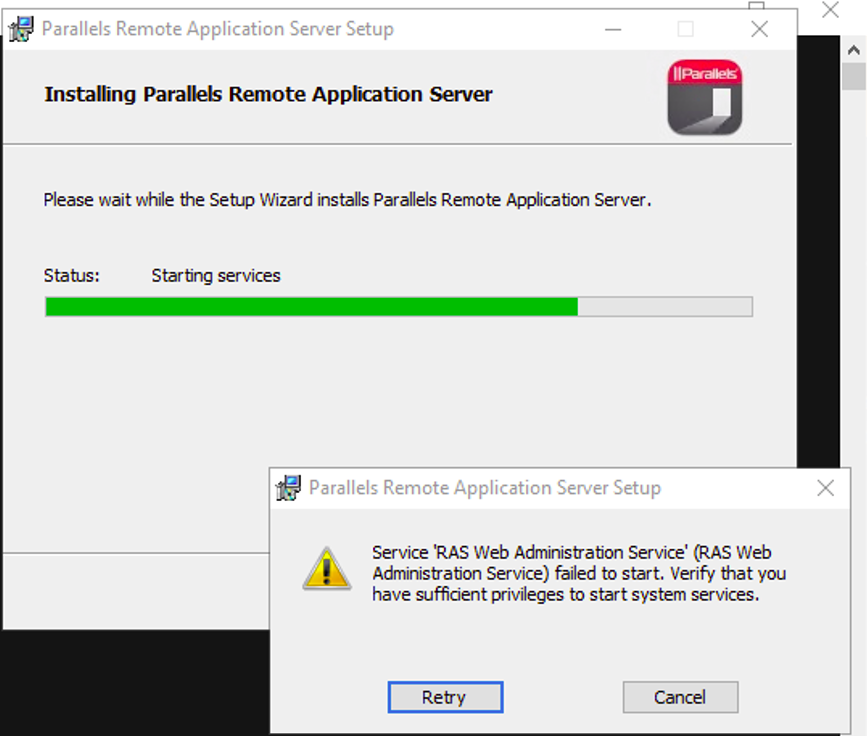
When the Web Administration Service is excluded, the following error may be displayed instead:
Service 'RAS Files Controller' failed to start. Verify you have sufficient privileges to start system services
- The problem occurs with both local and domain administrator accounts.
- Disabling the firewall, disabling UAC notifications, and running the installer as an administrator do not resolve the issue.
- Earlier RAS versions may install successfully on the same server.
- The failure may not occur after installing the latest available Windows Server updates.
Cause
Parallels RAS depends on the Microsoft .NET runtime and related Windows components. On older, unsupported Windows Server 2022 builds, .NET may fail when hardware-enforced Control-flow Enforcement Technology (CET) is enabled.
When .NET cannot initialize correctly, RAS services that depend on .NET fail to start during installation or upgrade. The RAS installer then rolls back the operation because the required service startup checks do not complete successfully.
The issue is associated with older Windows Server 2022 builds running on hardware that supports CET. It is not caused by insufficient administrator privileges, Windows Firewall, or the RAS service account.
The Windows/.NET failure may be associated with an error similar to the following:
Your Windows doesn't fully support CET. Please install all available Windows updates.
Important: Parallels RAS does not install Windows operating system updates as part of the RAS installation process. The operating system must be updated before installing or upgrading RAS.
Resolution
- Install all available cumulative and security updates for Windows Server 2022.
- Restart the server after installing the updates.
- Confirm that the server is running a supported and fully updated Windows Server 2022 build.
- Run the Parallels RAS installer again as an administrator.
- If upgrading an existing RAS installation, verify that the previous RAS version is operating correctly before starting the upgrade.
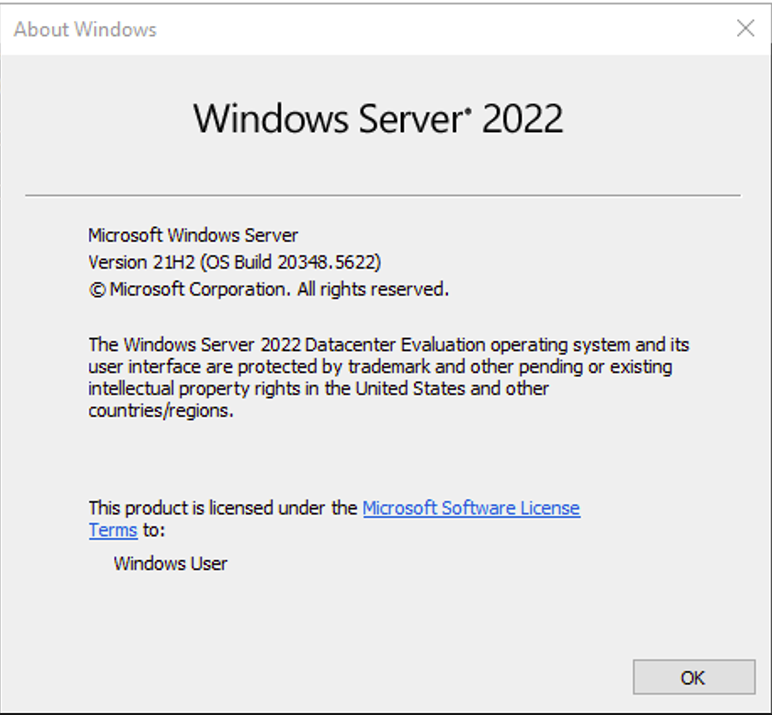
Updating Windows Server 2022 to at least version 21H2, OS Build 20348.5622, allows the installation or upgrade to complete.
Alternative workaround
If Windows Server 2022 cannot be updated, install Parallels RAS on a supported, fully updated Windows Server version, such as Windows Server 2025.
Disabling Control-flow Enforcement Technology (CET) CET may also prevent the failure. Installing all available Windows updates is however the preferred resolution.
Was this article helpful?
Tell us how we can improve it.