
At present, installing a macOS 26 virtual machine on an Intel Mac, requires having the hard drive format of the virtual machine specifically in the APFS format, and Parallels Desktop defaults to using exFAT during this process; however, there is a workaround for this process.
Workaround:
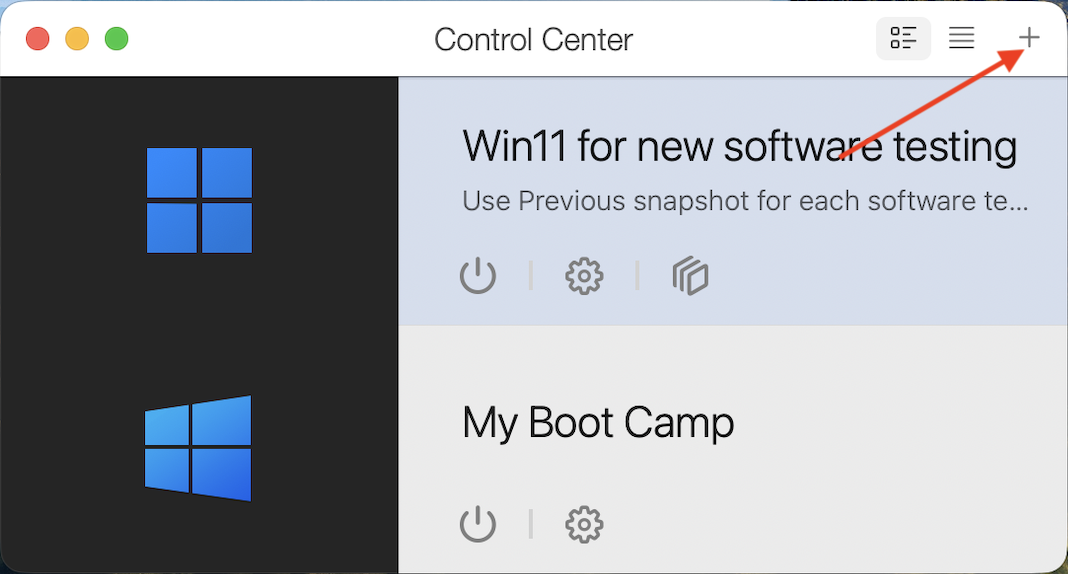
1. Right-click on the Parallels Desktop icon in the Mac dock > Control Center.
2. In Control Center, click on the '+'
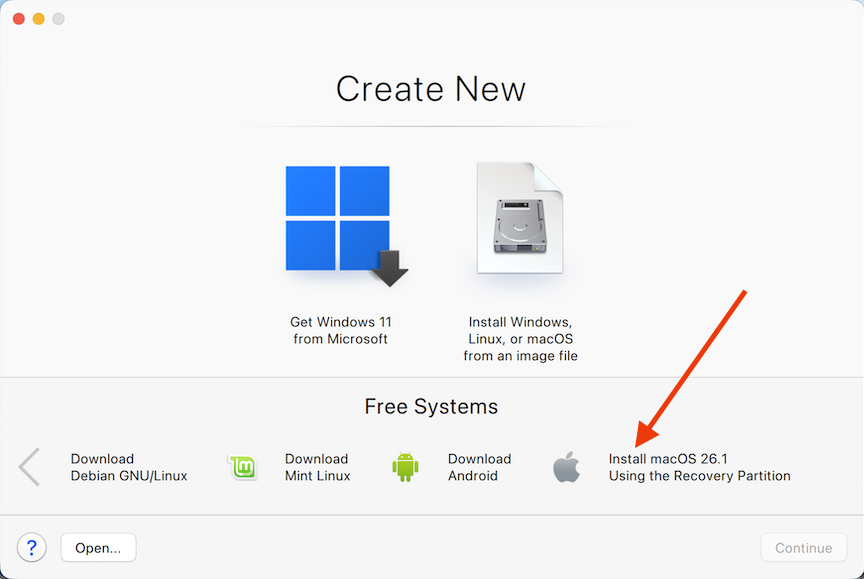
3. Click on "Install MacOS 26 Using the Recovery Partition" and select "Continue" > "Install"
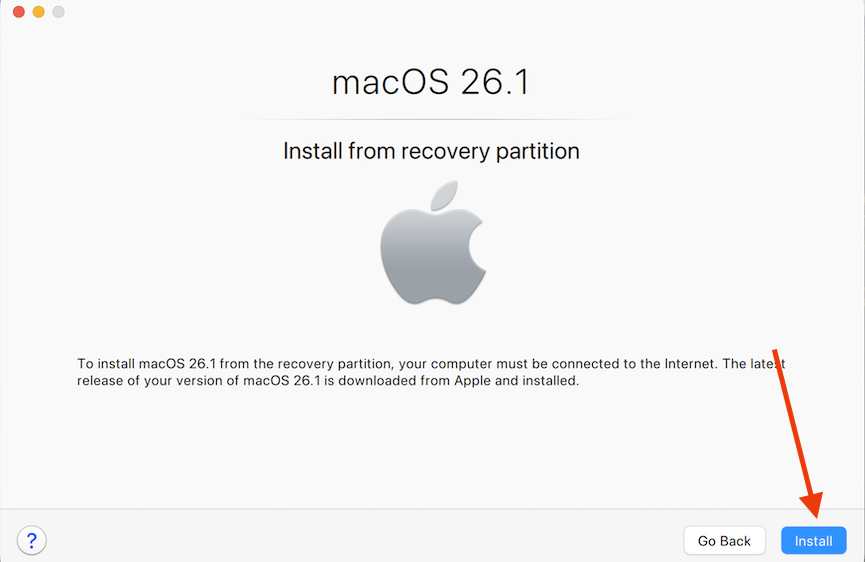
4. After clicking install, Parallels will attempt to boot the virtual machine.
Note: macOS 26 (Tahoe) requires 8GB of memory as a minimum, and if the system has allocated less than 8GB, you will see the error message below:
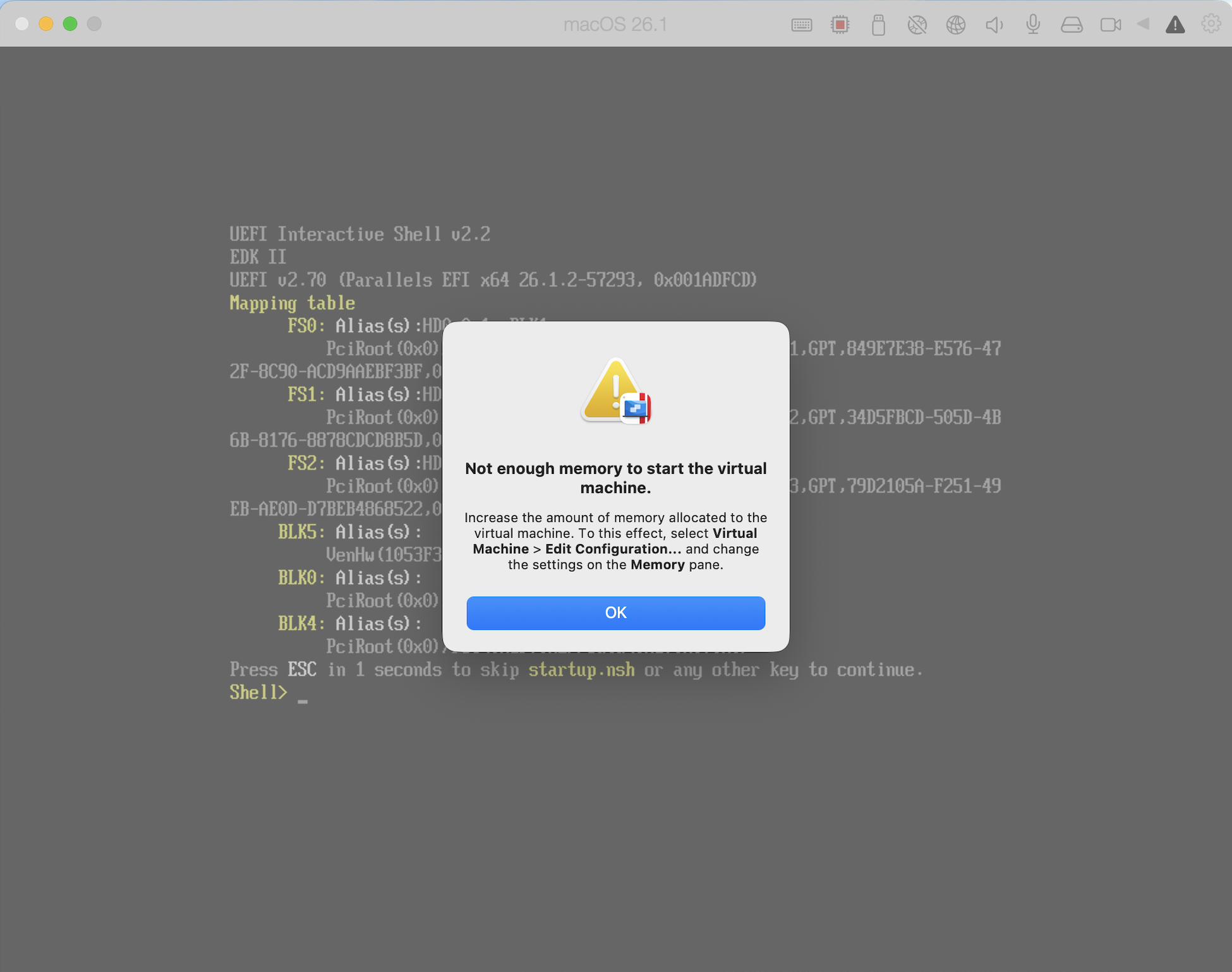
If you have encountered this:
4.1. Click OK.
4.2. From the Mac menu bar > click on Actions > Stop
4.3. Go back to the Control Center as described in Step 1 and click on the Configuration icon for the macOS 26 virtual machine

4.4. This will open the Configuration settings for this virtual machine, navigate to Hardware > CPU & Memory and make changes as per the screenshot below:
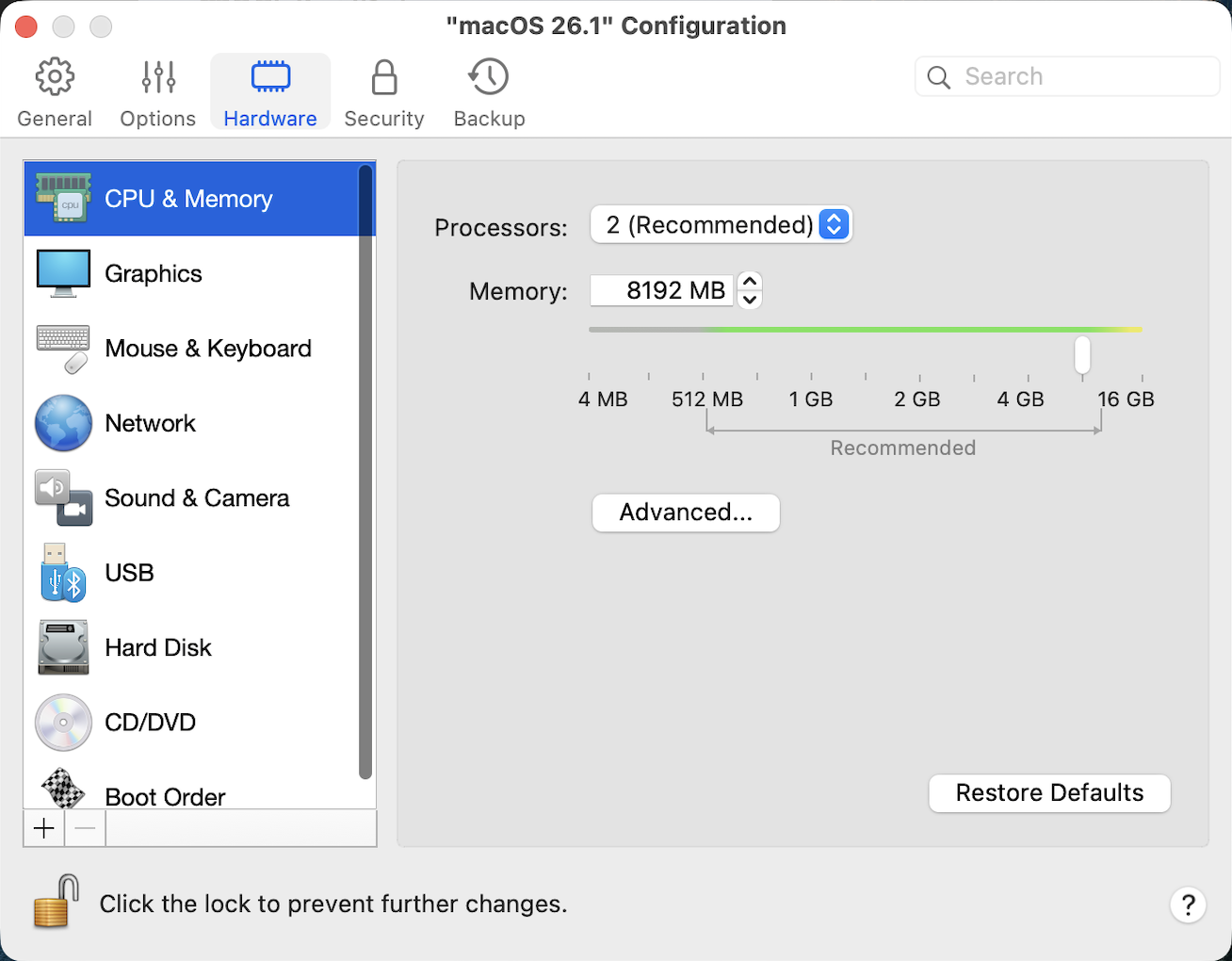
Once changed, you can close this window and start the macOS 26 virtual machine from the Control Center.
5. Follow the prompts until you reach this page:
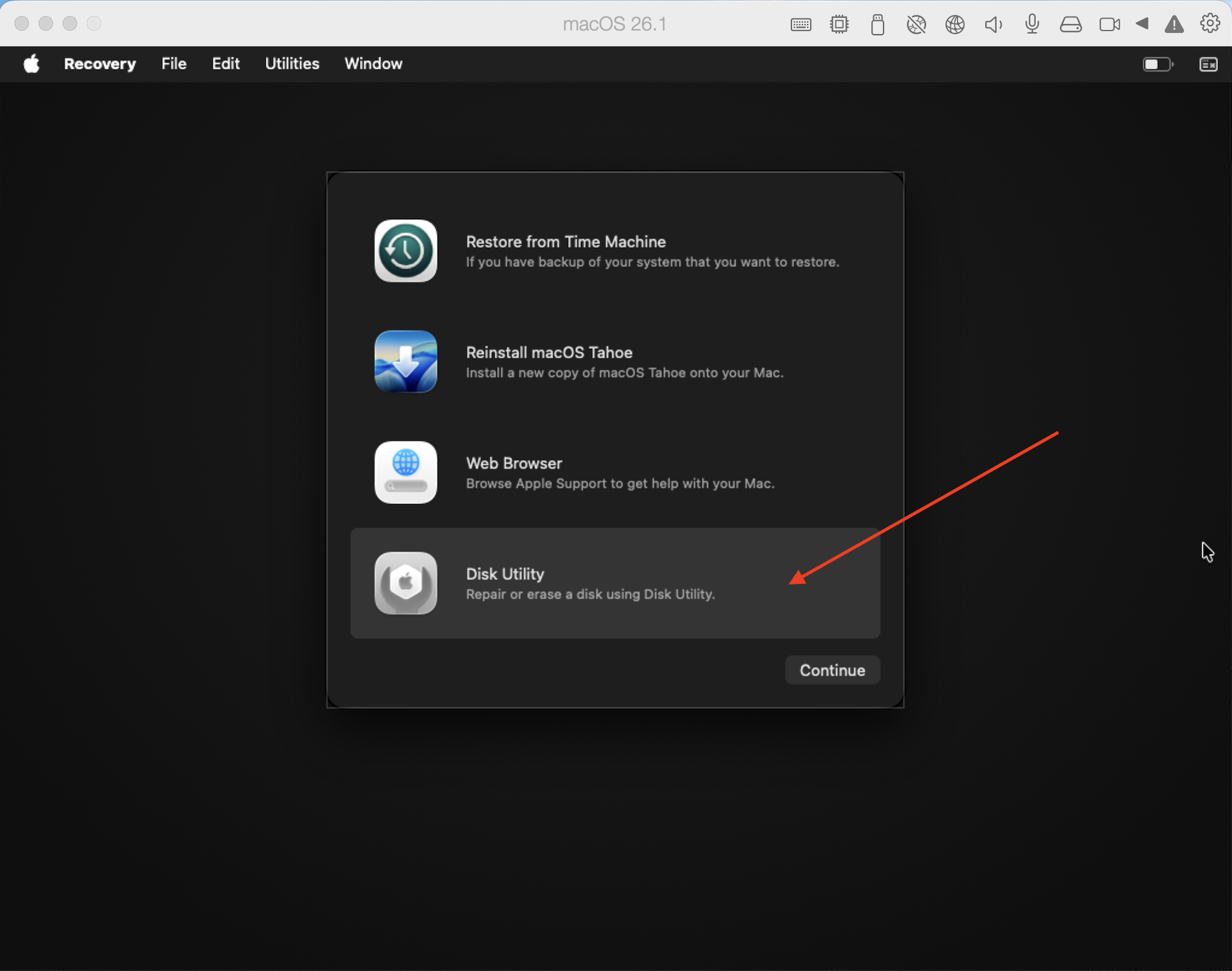
Click on Disk Utility > Continue
6. In the Disk Utility, click on Macintosh HD on the left side and click on Erase:
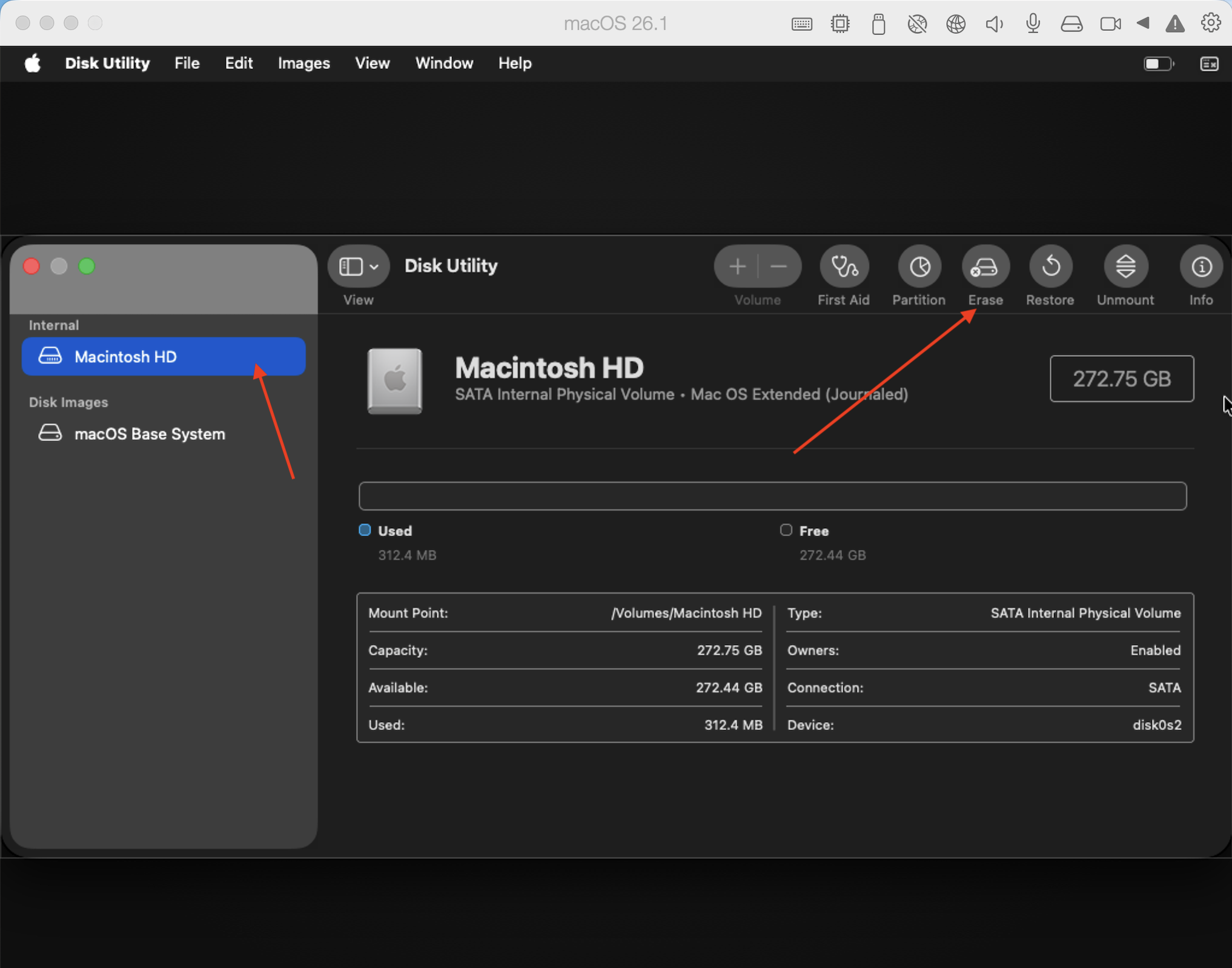
In the Erase menu that appears, change the Format to APFS, click on Erase and wait for the process to complete:
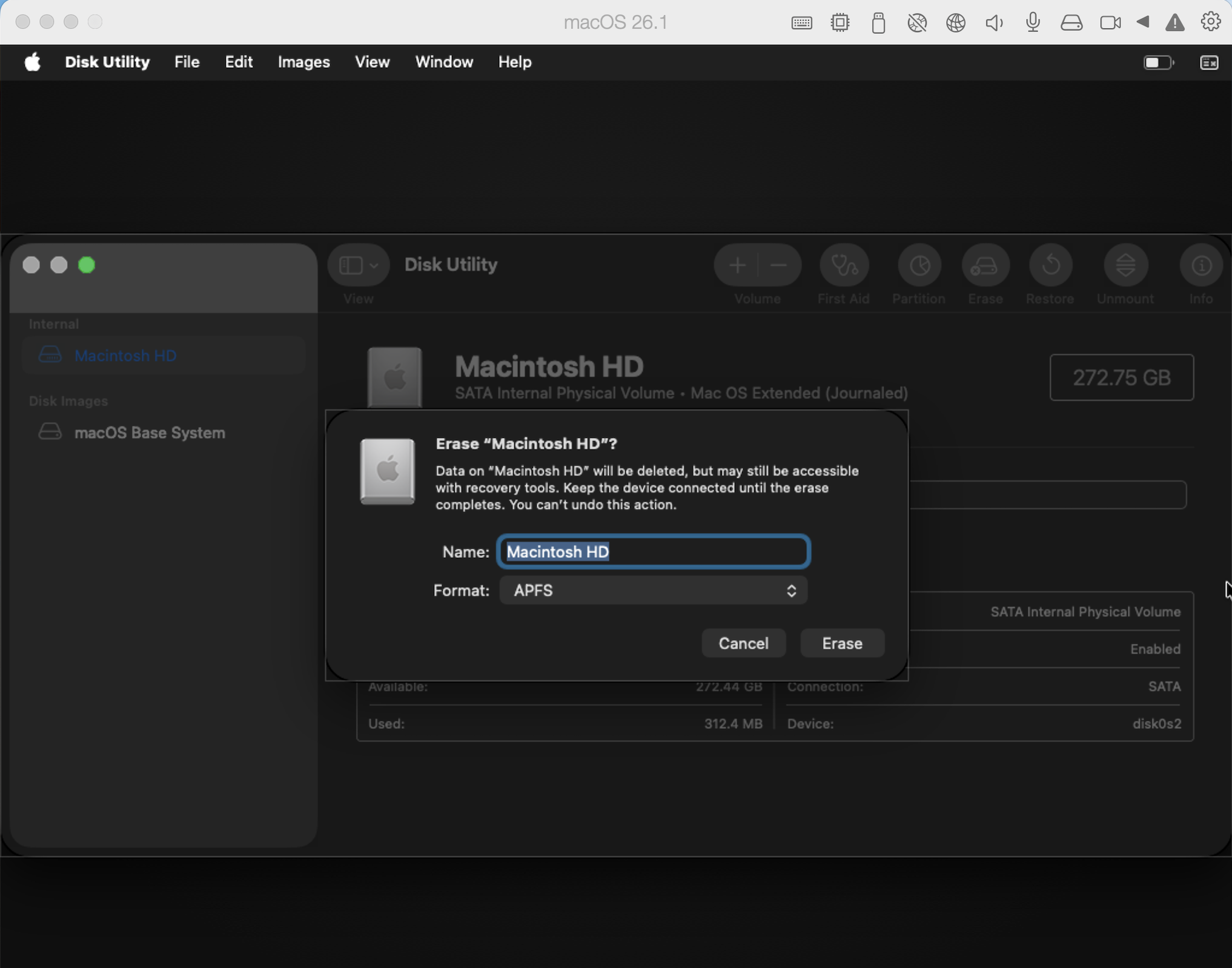
7. Once the above process is completed, you can then click on the close button for Disk Utility on the top left. This action will take you back to the section as shown in Step 5 above. From there, click on "Reinstall macOS Tahoe" > Continue
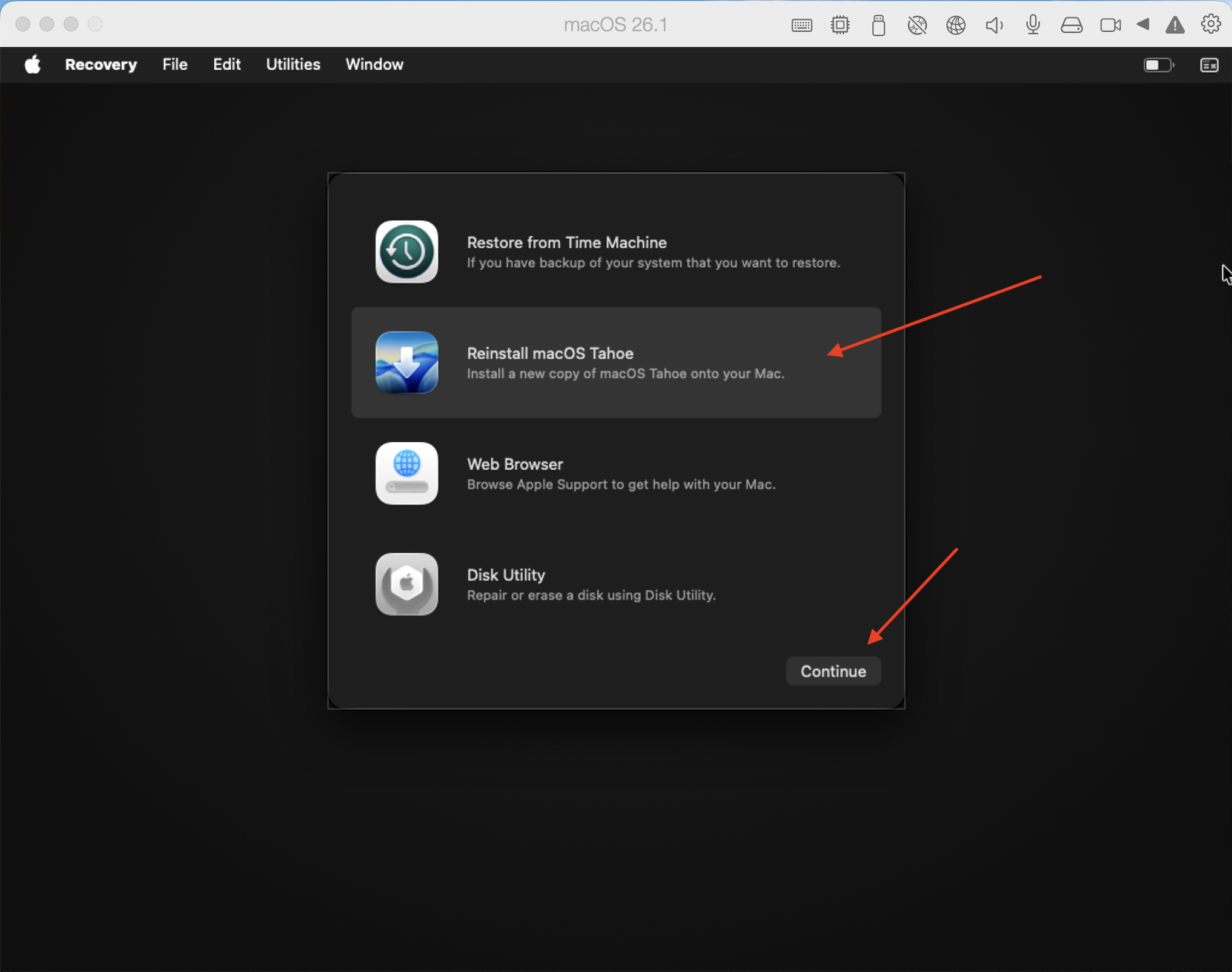
8. Follow the prompts given by the installer:
After clicking on Continue in Step 7 > Click Continue again to start the installation process > Accept the License Agreement > Click on the hard drive shown (Macintosh HD) > Continue > This will now start the installation, and you will be able to see the progress and time remaining.
Was this article helpful?
Tell us how we can improve it.