
Information
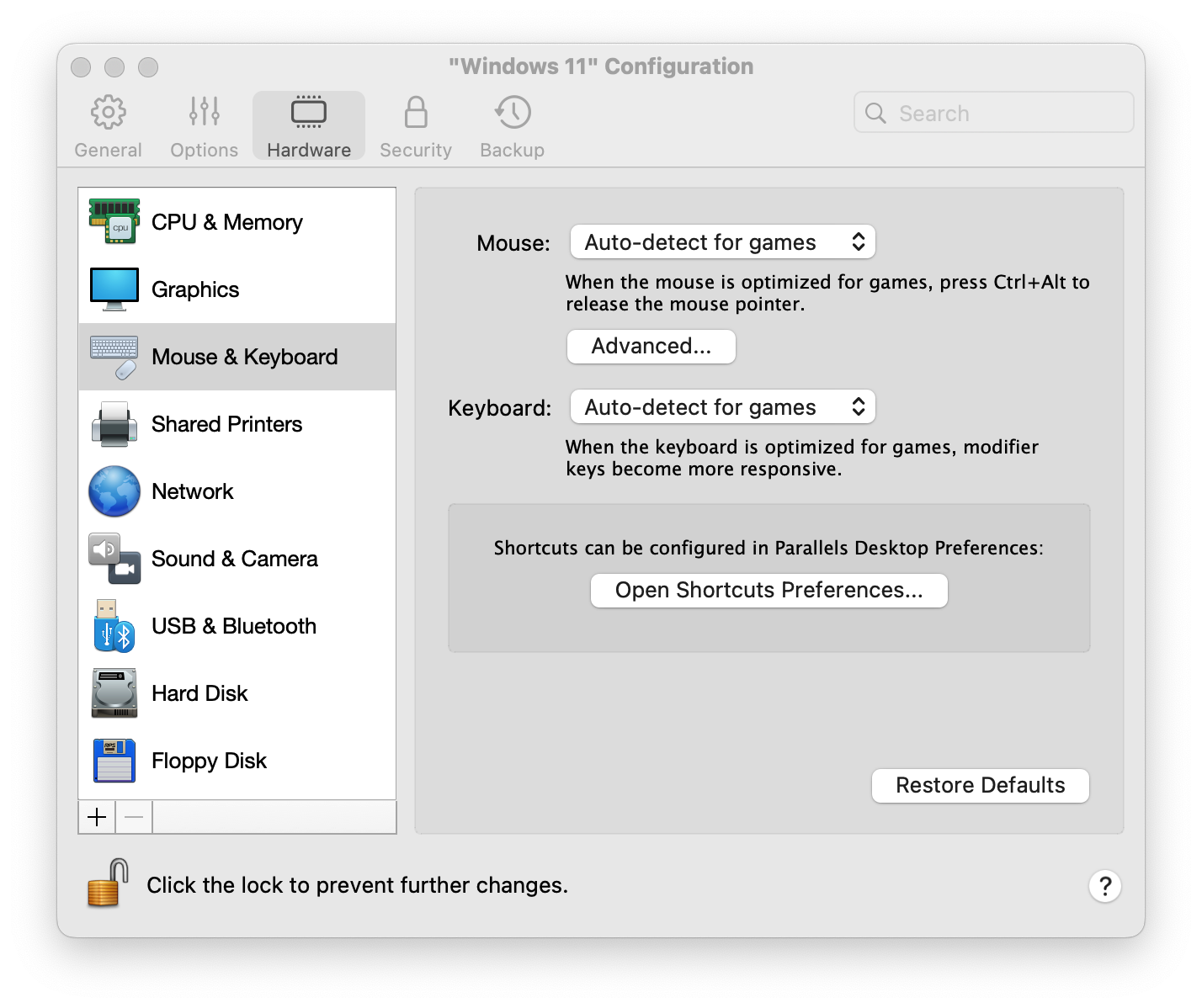
Parallels Desktop provides functionality allowing you to control how a pointer input, from a mouse or a trackpad, is captured and processed by the virtual machine.
For this functionality to work, Parallels Tools must be installed in your virtual machine.
To get to these options, simply open the virtual machine's configuration and go to Hardware > Mouse & Keyboard > Mouse.
The options you will find there are as follows:
-
Auto-detect for games: it will behave similarly to Don't optimize for games, and will automatically switch to Optimize for games whenever you are playing a computer game or any other applications that use its own mouse pointer instead of using the operating system pointer.
-
Optimize for games: you will need to click inside the virtual machine window to capture the mouse input, and press Ctrl+Option (Alt) to release it back to your Mac. It may be convenient if you want the mouse pointer to always stay inside the virtual machine window in the Window and Modality view modes (ex.: when playing some games).
-
Don't optimize for games: the mouse input will be automatically captured in the virtual machine window when the mouse pointer hovers over it and then released when it moves back to Mac OS, which will make the mouse move seamlessly between your Mac and the virtual machine.
Scrolling
Inertia Scrolling.
When using scrolling in a virtual machine, the input device doesn't operate directly in the virtual machine. Instead, Parallels Desktop captures the scrolling events on the Mac side, and sends them to the virtual machine. Since the virtual machine cannot identify what is the cause of this or that scrolling event (the use of scrolling with inertia or scrolling without inertia), there is no way to disable inertia scrolling in the virtual machine if it is enabled on the Mac side.
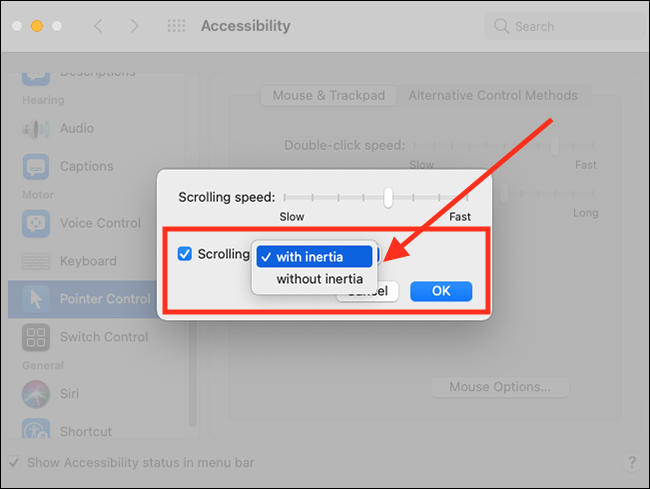
To disable inertia scrolling on the Mac, please perform the following steps:
-
In the top left corner, click the Apple icon > System Preferences > Accessibility
-
On the left pane, locate and click Pointer Control and click Mouse Options… (Trackpad Options…).
- In Scrolling select without inertia and click OK.
Was this article helpful?
Tell us how we can improve it.