
Symptoms
I want to use the same printer with both macOS and Windows.
Resolution
Parallels Desktop 16 and later
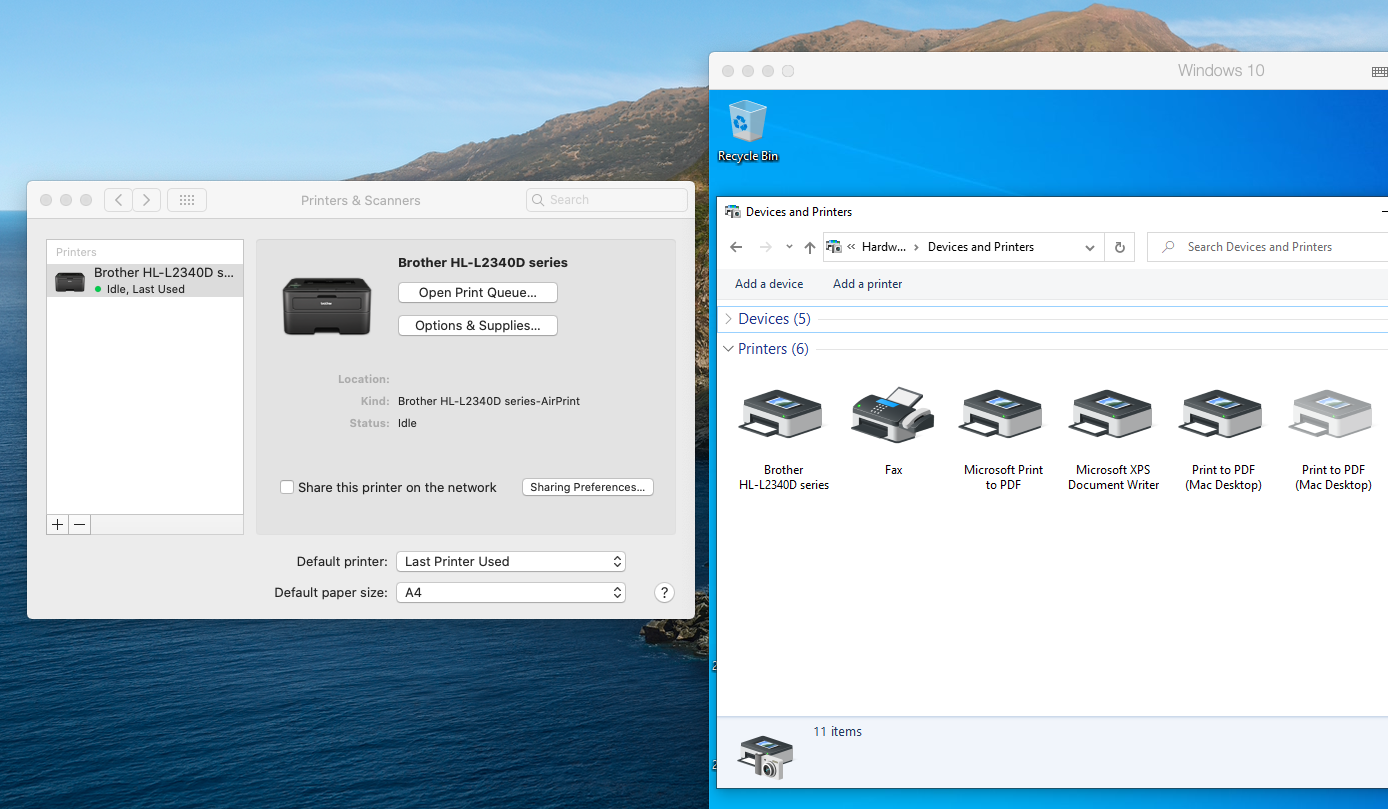
Starting with Parallels Desktop 16 we have reworked shared printing drastically. Now you can:
- Use the same printer driver in Windows as in macOS:
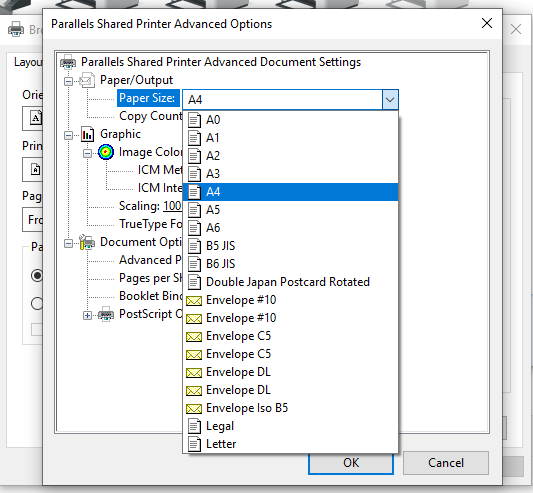
- Print large size formats like A0 and A1:
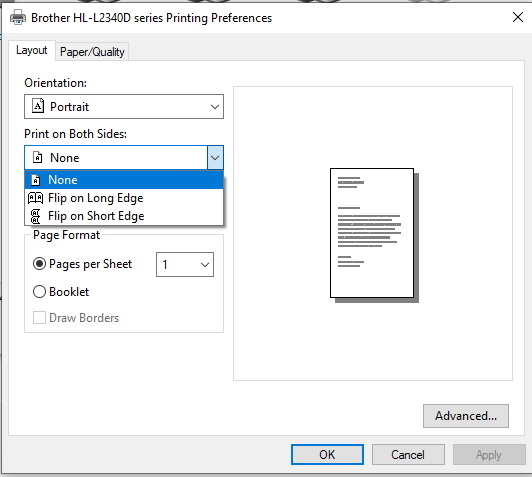
- Print on both sides:
Parallels Desktop 15 and earlier
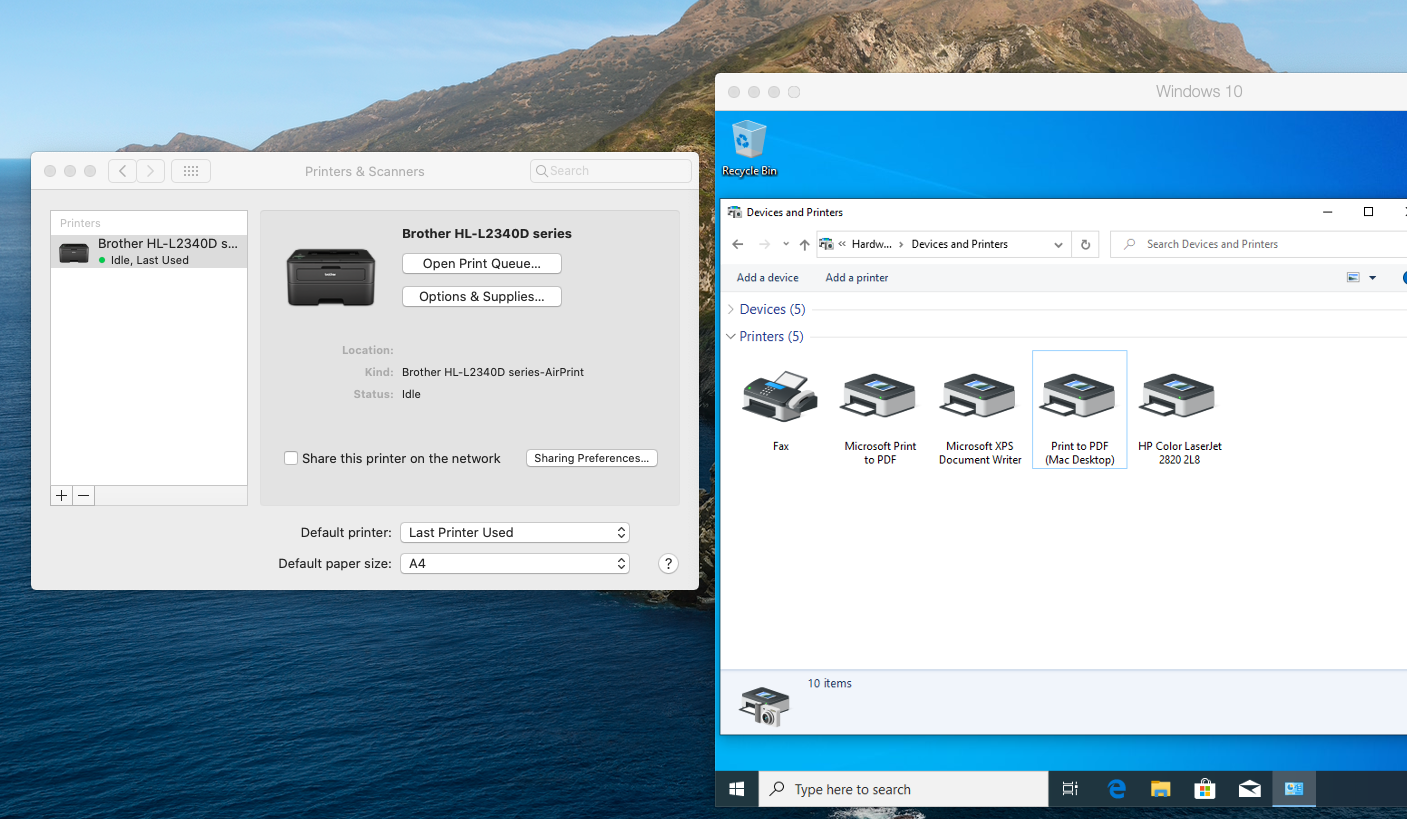
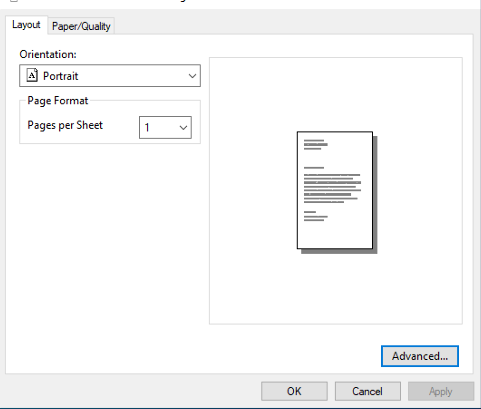
- General HP driver is used for shared printers in Windows:
- Standard printing sizes are available only:
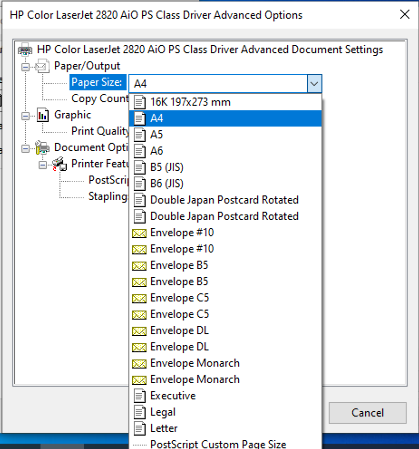
- "Print on both sides" option is not available
Enable Shared Printing
To make shared printing work correctly the following conditions should be complied:
- Parallels tools are installed and up to date
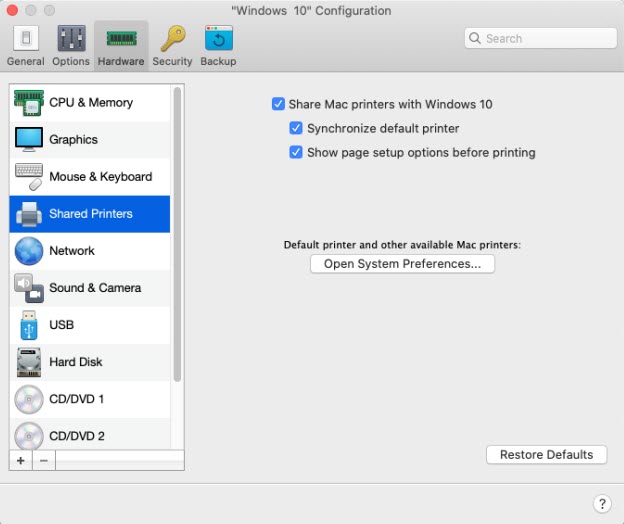
- Make sure you have Share Mac printers with Windows and Synchronize default printer options enabled in virtual machine Configuration > Hardware > Shared Printers:
- Make sure you have a correct default printer in macOS System Preferences > Printers & Scanners:
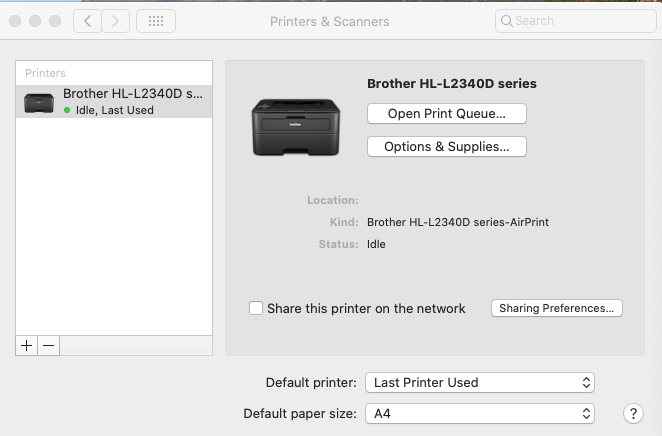
In Windows virtual machine you will find the same printer in Devices and Printers:
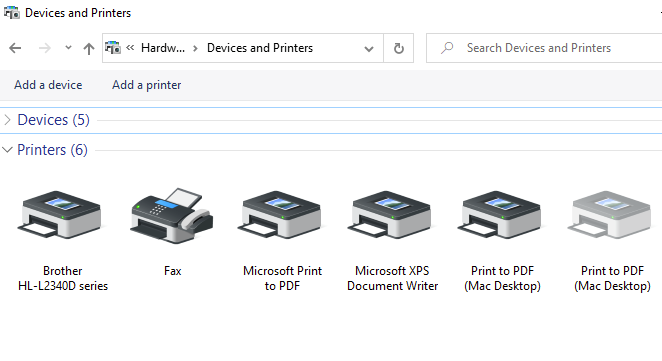
If you make changes to printing options in macOS (e.g. change the default printer or add the new one), the same changes will be applied to Windows the next time you restart Windows.
Other way to setup a printer
- You might consider setting up printer sharing via network - please refer to the article Setting Up a Network Printer #4886
- How to set up printing from Windows using macOS compatible printers or Apple Bonjour: Printing via Apple Bonjour #4990
Was this article helpful?
Tell us how we can improve it.