
Symptoms
Users are unable to create or use shortcuts on a network drive when accessing resources via Parallels client for windows.
Cause
The issue arrises when Cache settings for drive redirection is set to "Fast mode or disabled"
Resolution
Issue can be solved by changing cache mode to "Enable"
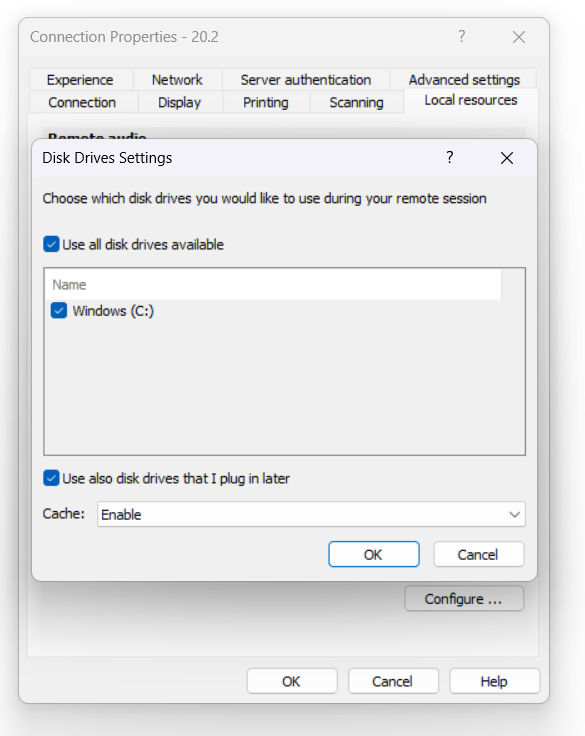
This can be done via Parallels client itself:
Parallels client> Connection properties> local resources> Select disk drives> configure> set cache to Enable
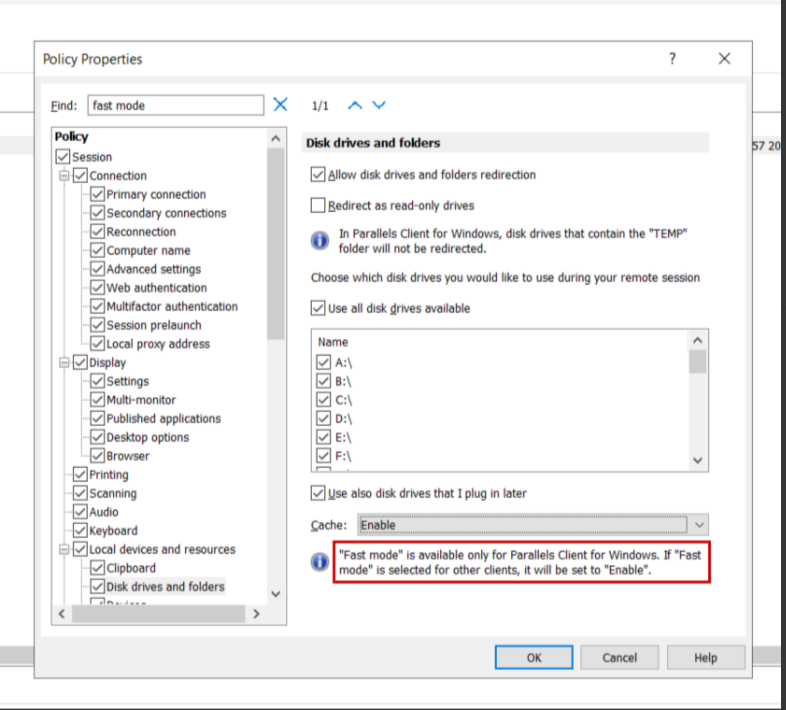
Or it can be configured for all users via RAS policies:
RAS console> Policy> Local devices and resources> set cache to "Enable"
Was this article helpful?
Tell us how we can improve it.