
Information
HALB appliances do not support up in-place upgrade unlike other Parallels RAS components.
To upgrade, you must deploy a new appliance and replace the existing one while preserving its network configuration.
Upgrade Procedure
Please follow the steps below to perform the upgrade:
1. Record the current configuration of the existing HALB device
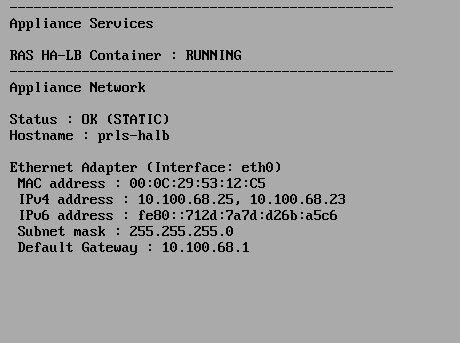
2. Download the Latest HALB Appliance
Go to the Parallels RAS download link and download the HALB appliance in the appropriate format for your hypervisor
3. Remove the Old Appliance from RAS
In the RAS Console:
- Navigate to Farm → HALB → Virtual Server Properties → Devices
- Remove the old appliance
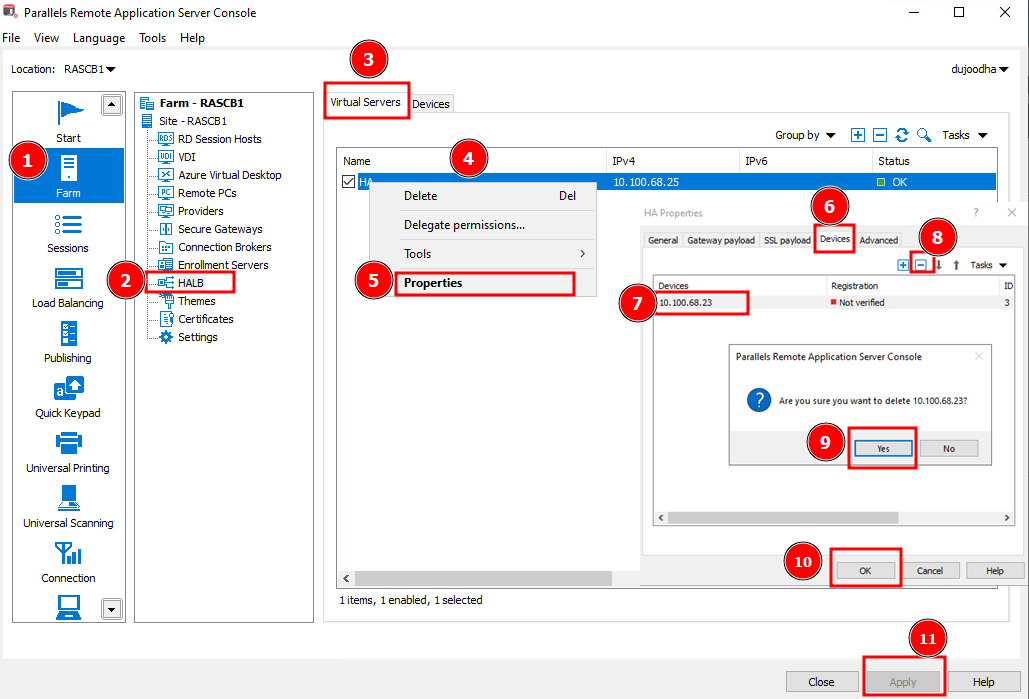
After removing the appliance from the RAS Console, power it down before assigning the same IP address to the new appliance to avoid network conflicts.
4. Deploy the New Appliance
- Import the new appliance into your hypervisor
- Power it on
Apply the network settings you recorded in Step 1:
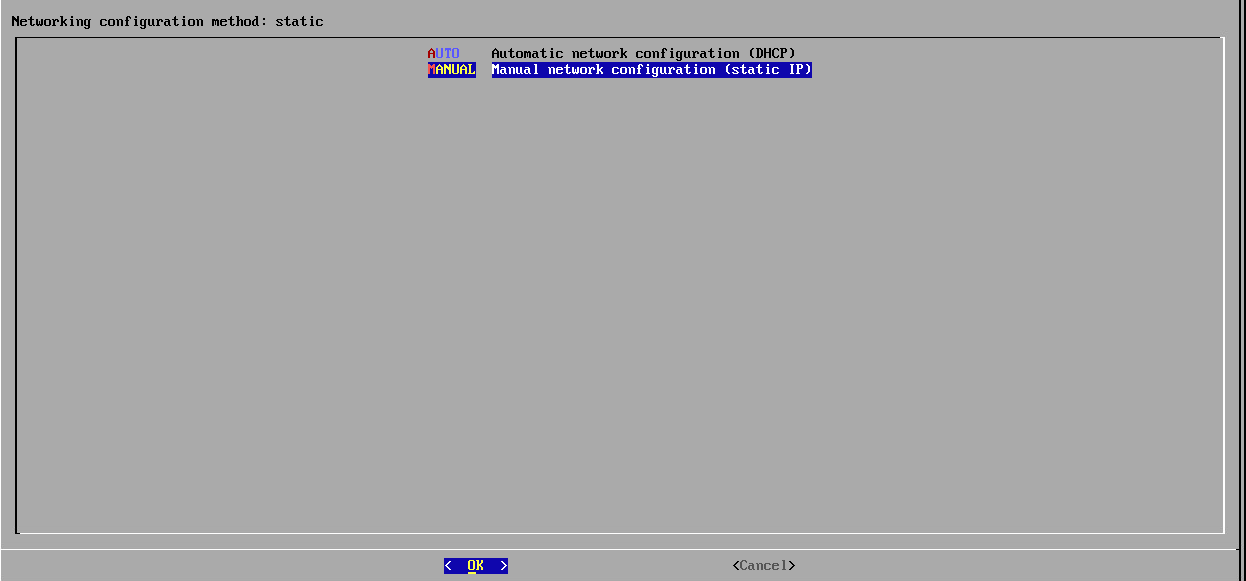
1. Select Network Configuration
- For Static IP configuration select MANUAL
- For DHCP configuratuon, Select AUTO and move to step 6.
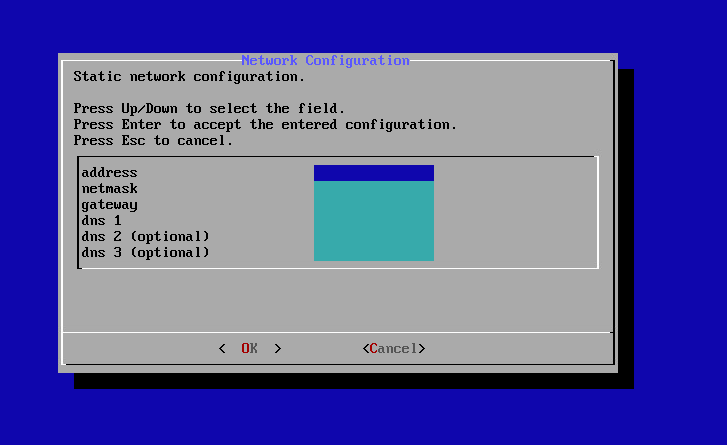
2. Configure static network settings (IP, subnet, gateway, DNS, etc.)
5. Add the New Appliance to RAS
- Go to Farm → HALB → Virtual Server Properties → Devices
- Add the new appliance
- Click Apply
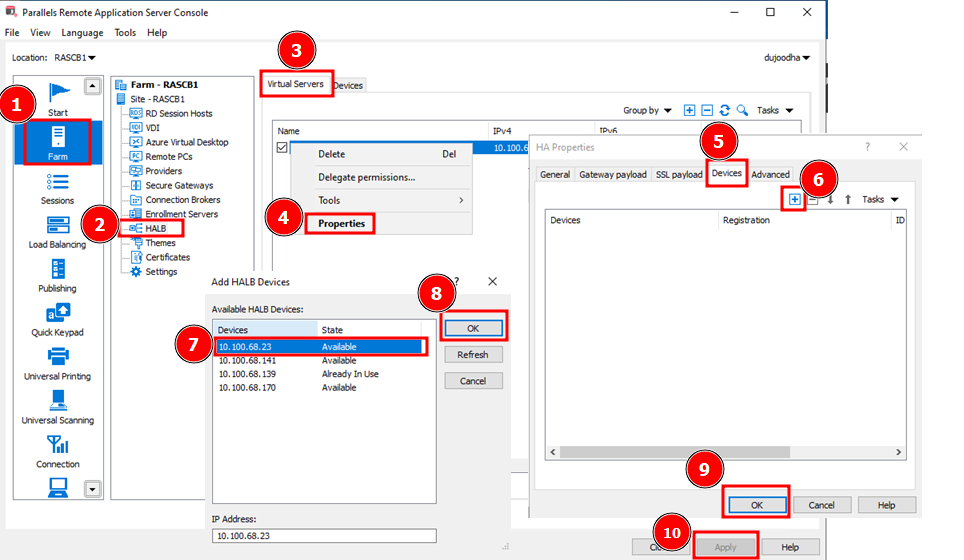
6. Clean Up
Once the new appliance is fully operational:
- Remove the old appliance from the hypervisor
Was this article helpful?
Tell us how we can improve it.