
Pause Windows when possible is a feature designed to automatically pause a Windows virtual machine to save your Mac resources and battery. Pausing Windows virtual machine releases CPU resources which are currently used by Windows. Then released resources can be used again by the Mac, its applications, or by other virtual machines on the computer.
NOTE: This option is available only when Parallels Tools are installed in a Windows virtual machine and Isolate Mac from Windows option is disabled in the Security tab.
Starting with Parallels Desktop 16 you may configure a custom period when this option will be enabled for your virtual machine.
If you select this option, the virtual machine will be automatically paused if:
-
The virtual machine is running, but its window is not active for more than the selected time period

- There are no applications running in Windows (no icons of Windows applications are present in the Dock)
To manage this feature, navigate to the virtual machine's configuration:
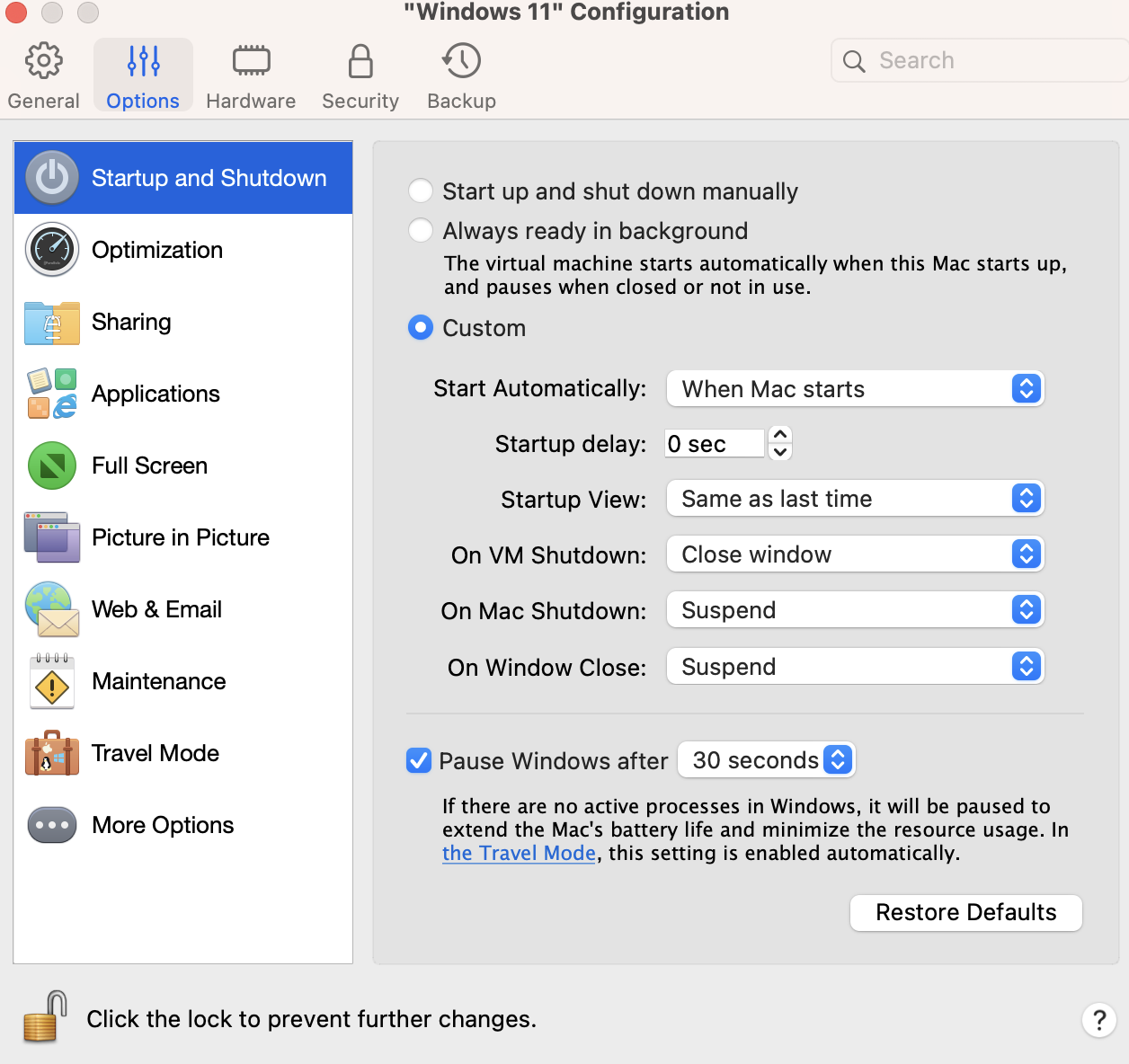
Go to the Options tab > Startup and Shutdown > check the Pause Windows after... option > and select the preferred time period:
Additionally, if you experiencing the issue when this option is disabled, however, your virtual machine still pauses automatically, check the steps below to solve it:
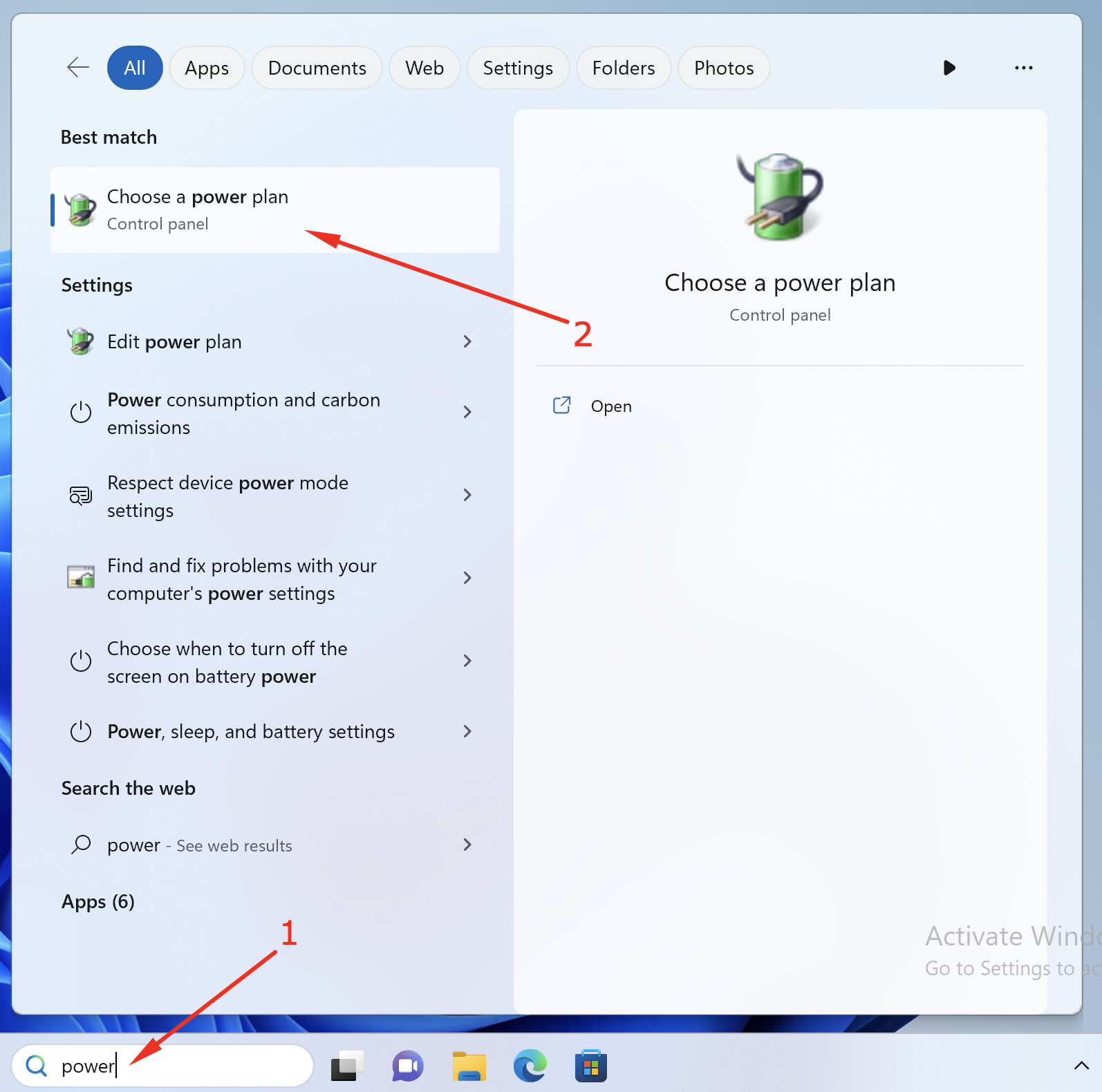
1. Go to the Windows virtual machine's search bar and type Power and pick "Choose a power plan".
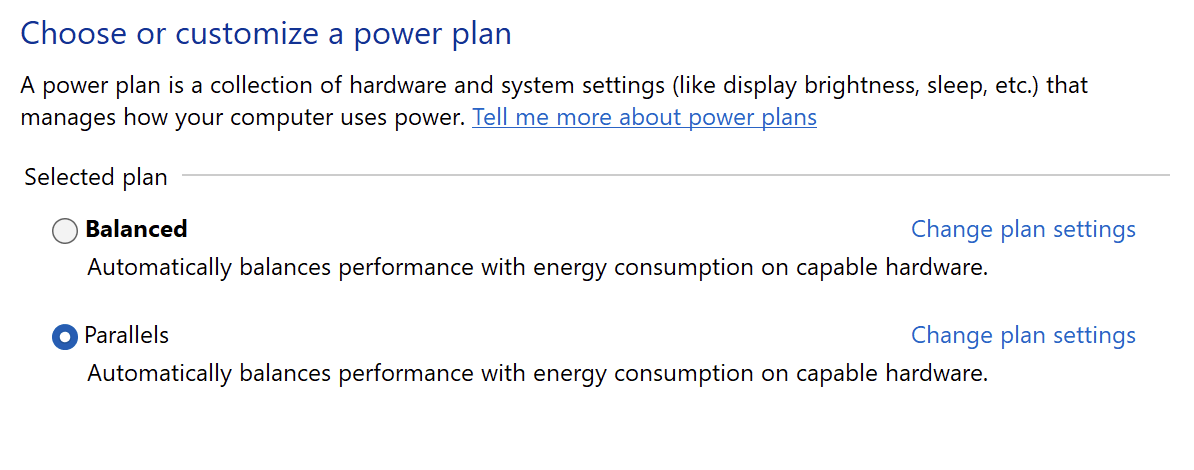
2. Parallels plan should be selected:
Was this article helpful?
Tell us how we can improve it.