
Symptoms
I have a Mac with Retina display and I experience some of these screen resolution issues in my Windows virtual machine:
-
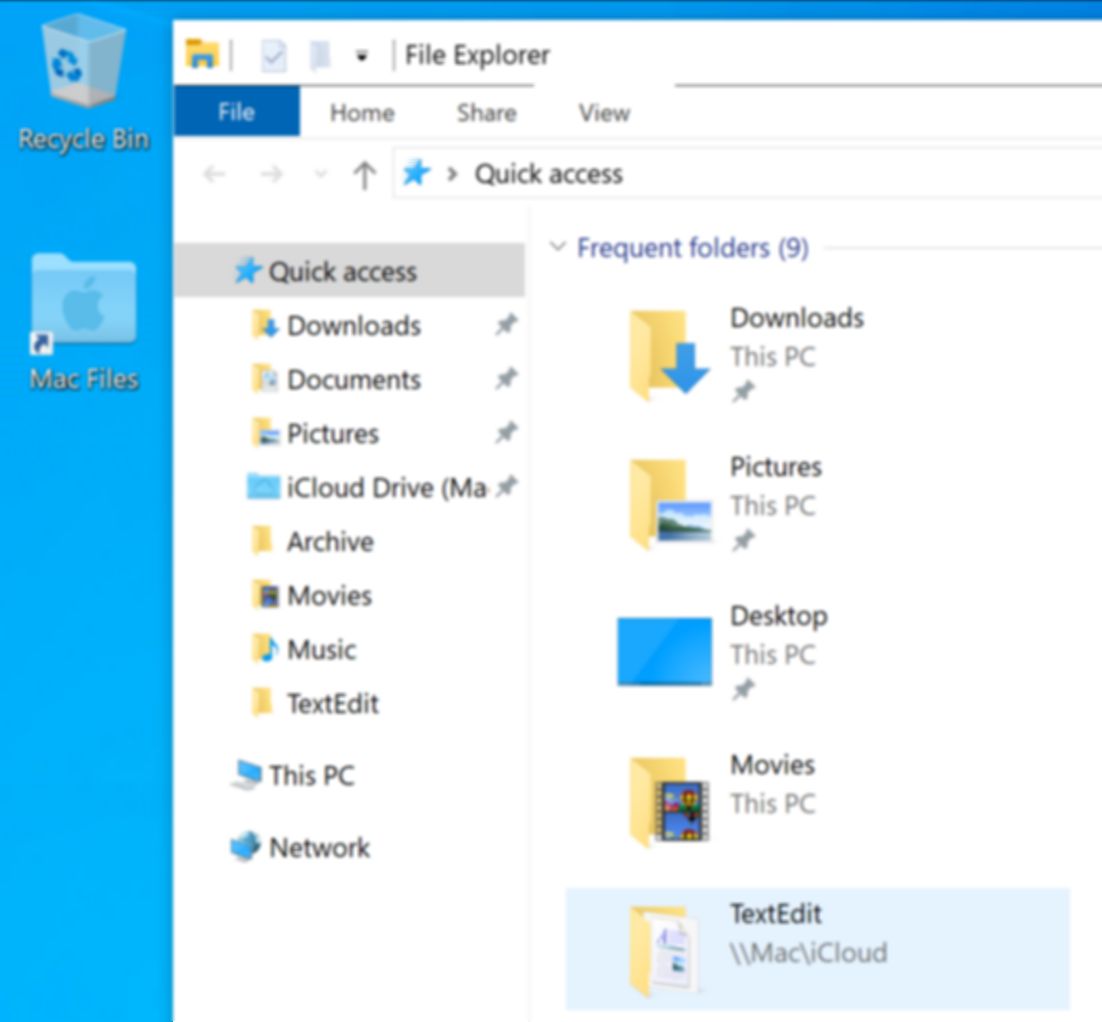
Fonts in Windows virtual machine look blurry:
-
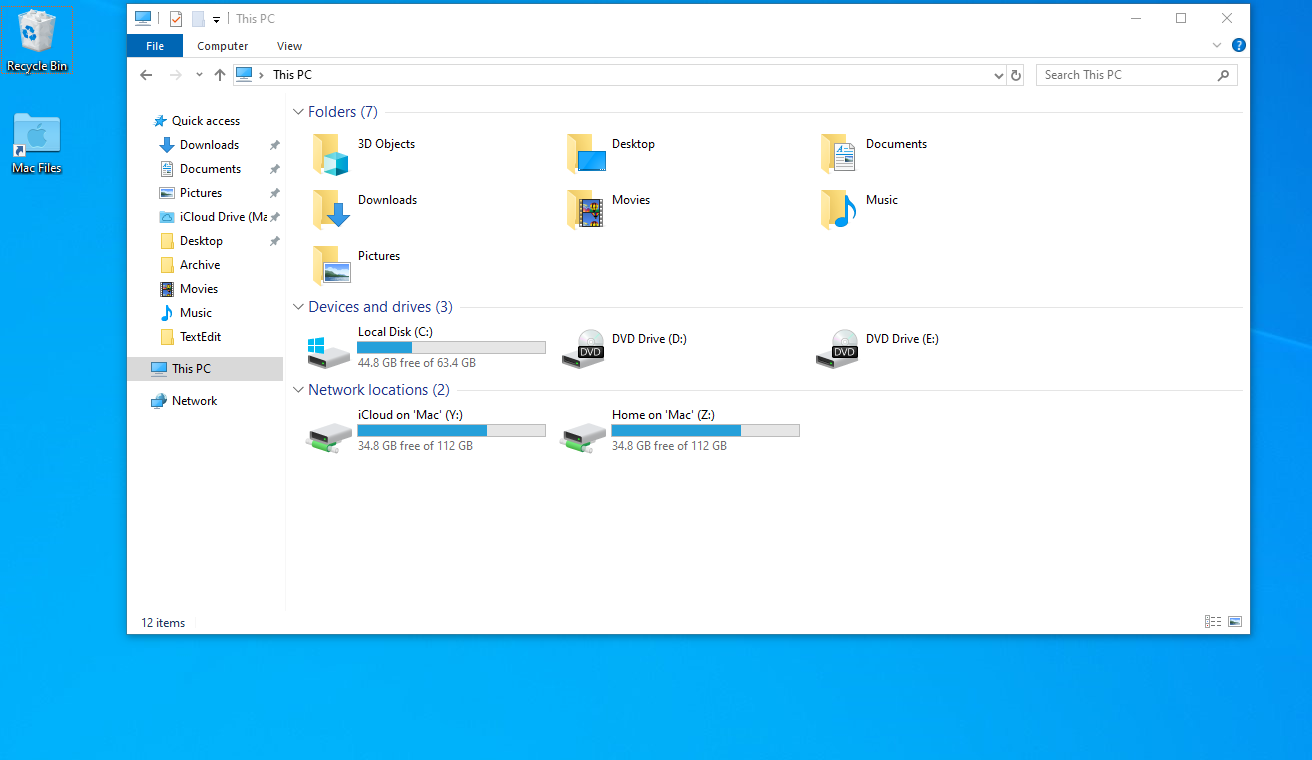
Everything looks very small in Windows virtual machine:
Note: if you are having resolution issues with a particular Windows-based program please visit this article: Windows-based programs resolution issues on Apple Retina display.
Cause
Microsoft Windows is not adapted for such high pixel density (DPI) resolution of the Retina display: Windows virtual machine resolution becomes very high thus everything is too small; Windows picture (fonts, images) are not rendered properly.
Learn more about the Apple Retina display in this article: Frequently asked questions about using a Retina display.
For more information about other video modes comparison in Parallels Desktop please see KB 124744.
Resolution
Parallels Desktop provides enhanced Retina display support for Windows virtual machines.
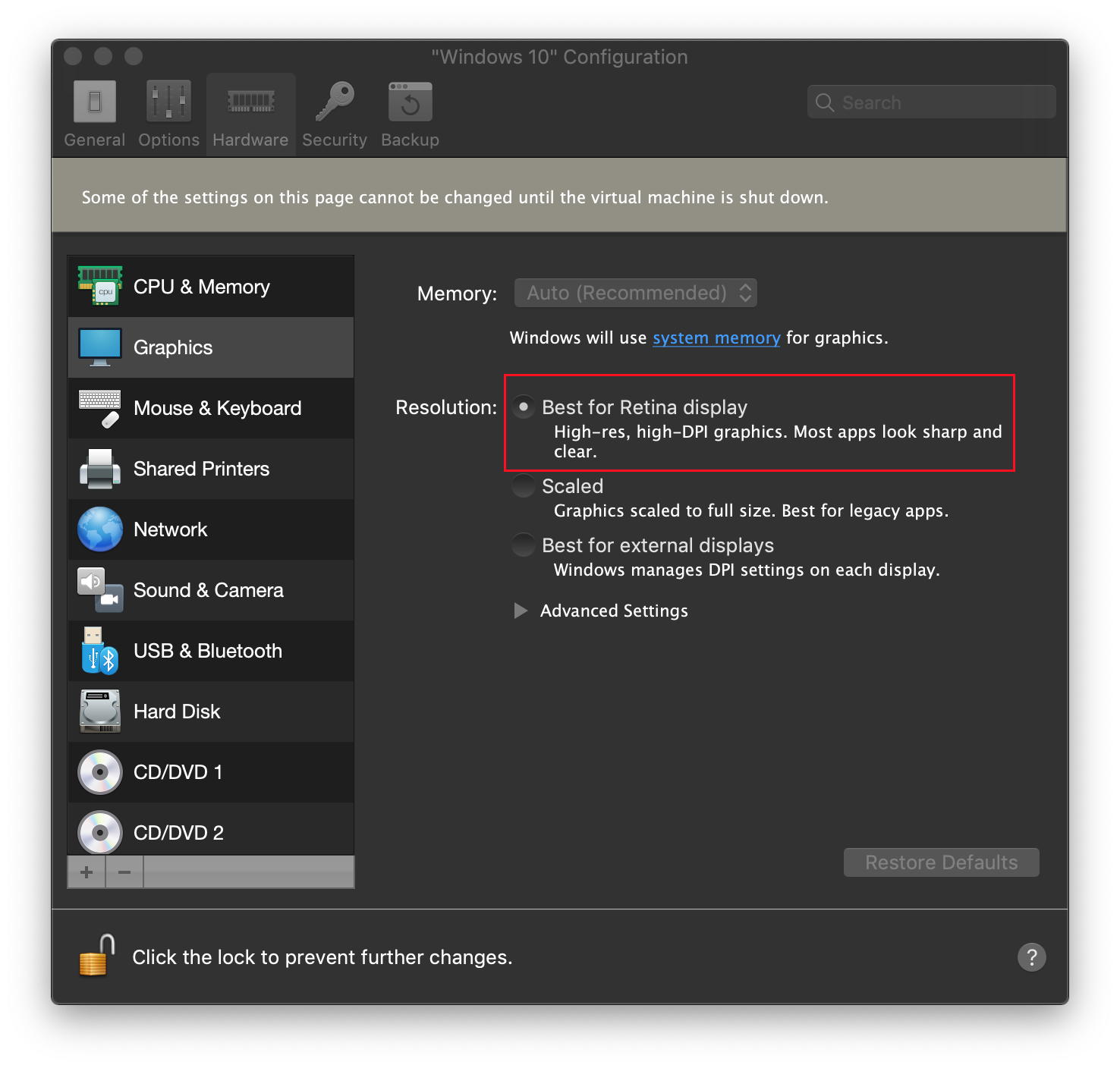
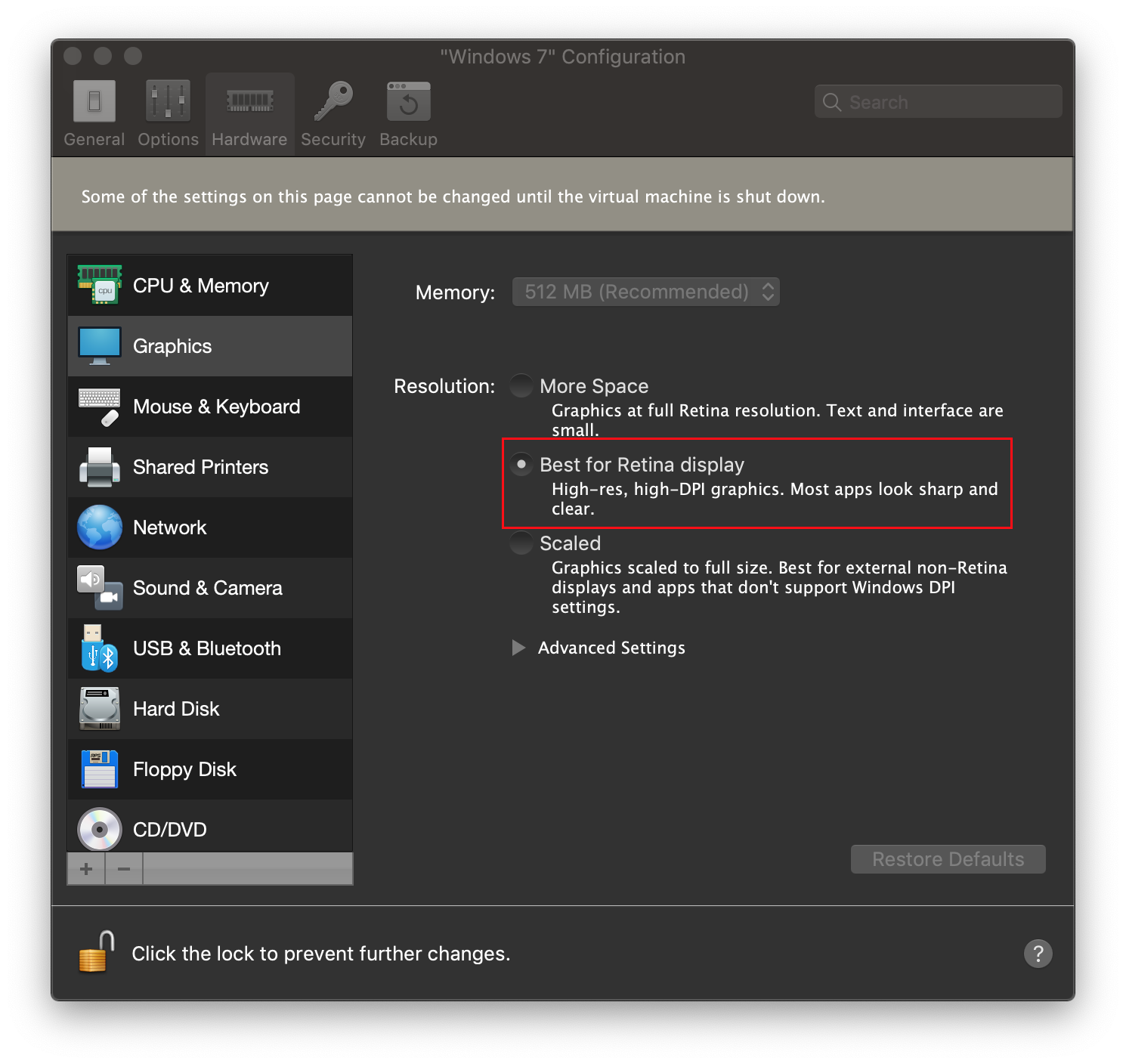
To set the most optimal resolution open Windows virtual machine's configuration > Hardware > Graphics > Resolution > set it to Best for Retina display.
For Windows 10 and 8.1
For Windows 7 and earlier
Note: if you have changed Windows scaling options manually before, there is a chance that after enabling Best for Retina displays mode Windows 7 will not scale properly.
To check scaling options right click on Windows Desktop > Screen resolution > Make text or other items larger or smaller > set it to Custom setting.
In Windows 10 scaling options will be automatically set to a custom scale factor provided by Best for Retina displays mode.
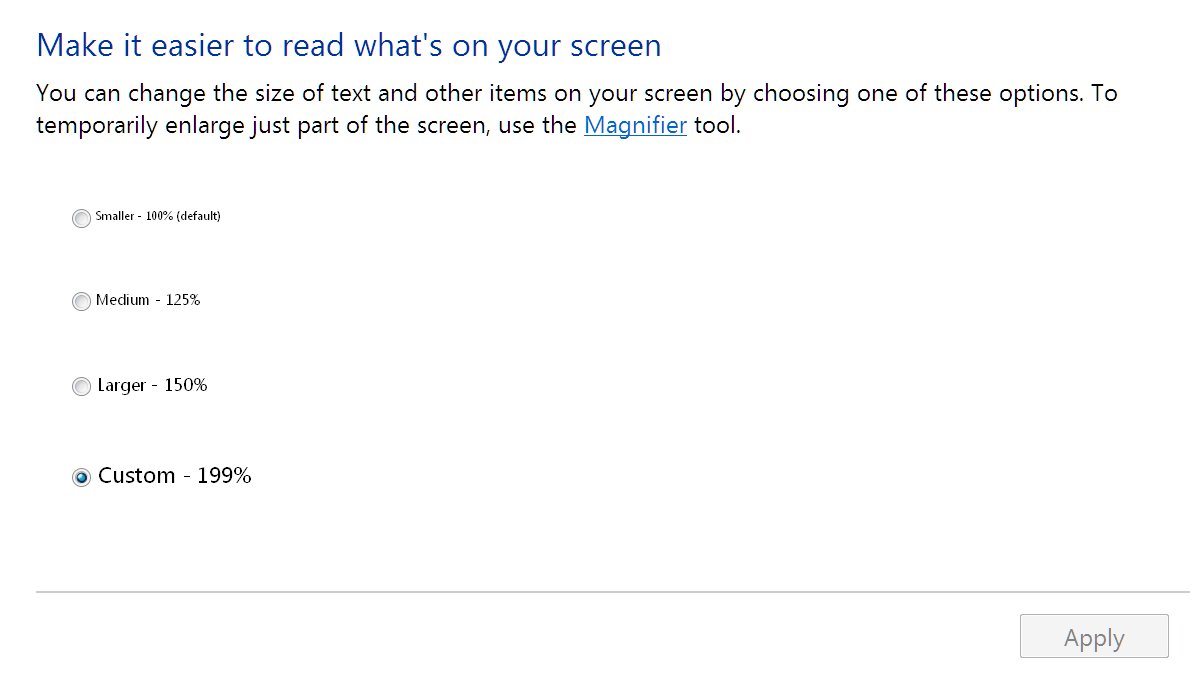
Important: Setting Custom scaling in Windows virtual machine will also fix small fonts symptom, but if you still experience an issue with small fonts in a particular Windows program, please visit KB119926.
For more information about Windows scaling options please visit this page.
Additional Troubleshooting
Check macOS display settings
If you use custom display settings for macOS, you have to adjust Windows virtual machine scaling manually based on the following suggestions.
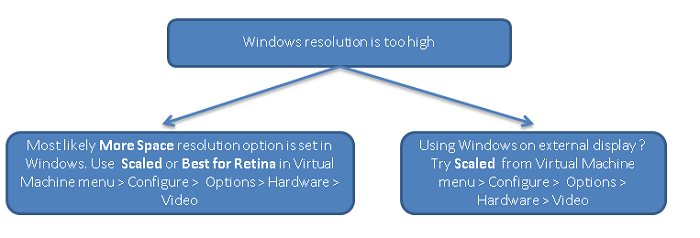
Windows resolution is too high
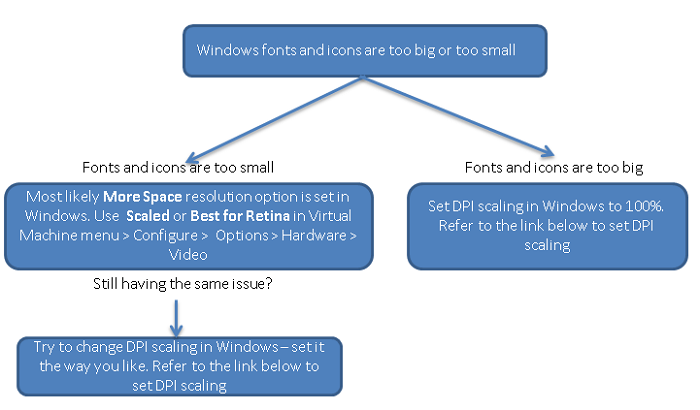
Windows fonts and icons are too big or too small
Was this article helpful?
Tell us how we can improve it.